
Does Instagram Notify When Someone Unfollows You?
Last Updated on January 21, 2026 by Ethan
Short answer? No. Instagram sends absolutely zero notifications when someone unfollows you. No push alert. No email. No little red badge. Nothing.
You could lose 50 followers right now, and Instagram wouldn’t say a word about it.
This surprises a lot of people. Instagram notifies you about everything else. Likes. Comments. New followers. When someone screenshots your disappearing photo in DMs, but unfollows? Complete silence.
Why Instagram Keeps Unfollows Secret
Think about it from their perspective. Instagram wants you scrolling, posting, engaging. Happy users stay on the platform longer.
What doesn’t make users happy? Constant reminders that people are leaving. Imagine getting a notification every time someone unfollowed. “Sarah stopped following you.” “Your ex’s new girlfriend stopped following you.” “That coworker you thought liked you stopped following you.”
That’s a recipe for anxiety, drama, and people rage-quitting the app.
So Instagram made a design choice years ago: positive notifications only. You hear about the good stuff. The bad stuff happens quietly in the background, where you might never notice it.
Honestly? Smart move on their part. Even if it drives curious people a little crazy.
What Actually Happens When Someone Unfollows
Here’s what changes when someone hits that unfollow button on your profile:
Your follower count drops by one. That’s it. The number goes down. No fanfare, no explanation, just a smaller number than before.
They stop seeing your posts in their feed. Your content disappears from their home screen. Stories too. Unless they visit your profile directly, they won’t see anything you post.
Old interactions stay. Their comments on your posts? Still there. Your comments on their posts? Also still there. Unfollowing doesn’t delete history. It just ends the ongoing connection.
If your account is public, they can still see everything. Unfollowing doesn’t block anyone. They can visit your profile anytime and see all your public posts. They just won’t see them automatically in their feed anymore.
You remain following them (if you were). Unfollowing is one-directional. If you followed each other, and they unfollow you, you’re still following them. You’ll still see their content. Only the connection back to you breaks.
The Re-Follow Trap
Here’s where it gets interesting. If someone unfollows you and then follows you again later, you absolutely get notified. Standard “started following you” notification. Same as any new follower.
Instagram doesn’t track context. It doesn’t say “your ex followed you again after unfollowing last month.” It just says “hey, new follower!” like it’s the first time.
This catches people sometimes. They unfollow someone, then feel guilty, then follow back, thinking nobody noticed the gap. But if the person was paying attention to their notifications, they might see that follow appear and wonder… wait, weren’t they following me already?
Awkward.
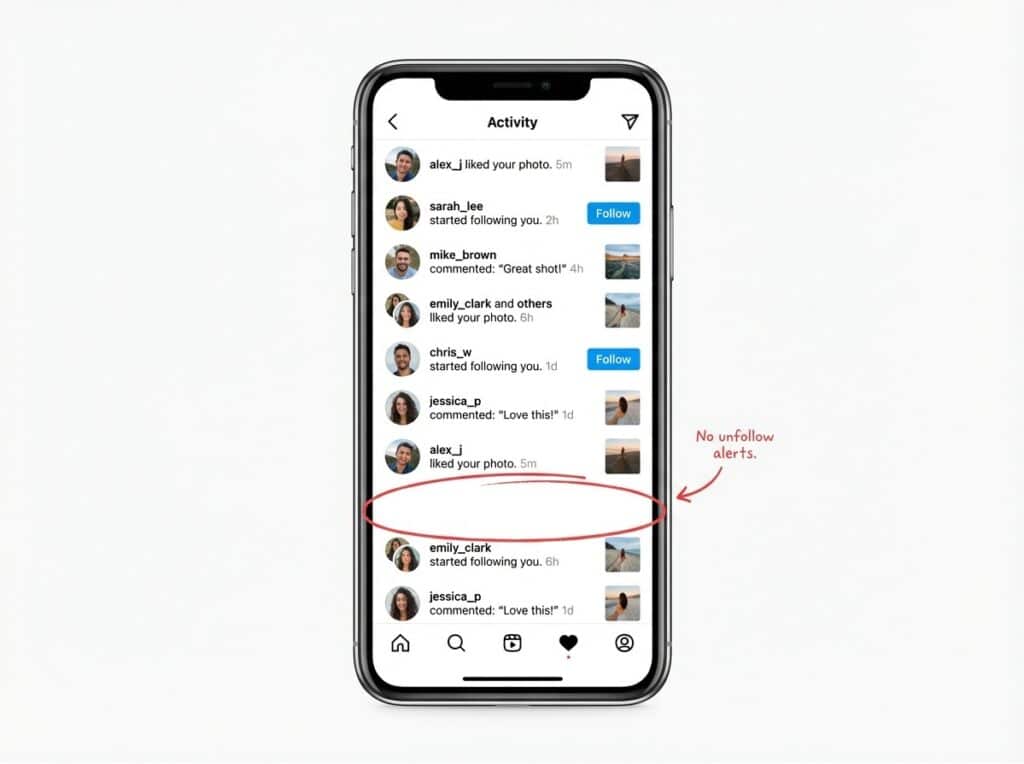
Likes, comments, follows – but never unfollows.
How to Find Out Who Unfollowed You
Instagram won’t tell you, but that doesn’t mean you can’t find out.
Manual Method
Go to your followers list. Search for the person’s username. If they don’t appear, they unfollowed.
Simple but tedious if you’re checking multiple people. And it only works if you already suspect someone specific.
Watch Your Count
If you check your follower count regularly, you’ll notice drops. Won’t tell you who specifically, but you’ll know something happened.
Problem is, small fluctuations happen constantly. You might gain 3 and lose 2 in the same day. Hard to track meaningful patterns this way.
Tracking Tools
Apps exist specifically for this. UnfollowGram and similar tools track your followers over time and show you exactly who left. Much easier than manual checking.
Important warning, though: avoid any app that asks for your Instagram password. Those can compromise your account. Safe tools work with your data export or public information only, never your login credentials.
Quick tip: The safest way to track unfollowers is through apps that use Instagram’s official data export feature. You download your own data,and the app analyzes it. Your password never leaves your control.
Should You Even Care Who Unfollowed?
Honest question worth asking yourself.
Sometimes knowing matters. If you’re a business tracking audience retention, understanding unfollows helps you adjust your strategy. If you suspect a friend or partner distanced themselves, confirmation might be useful.
But sometimes? It’s just anxiety fuel. Checking obsessively who unfollowed, trying to figure out why, spiraling into “what did I do wrong” territory. That’s not healthy and usually not productive.
I’ve been on both sides. Obsessively tracked for a while, drove myself a bit nuts, and eventually realized most unfollows mean nothing personal. Now I check maybe once a month out of curiosity. Much better for my mental state.
You do you. Just know that most unfollows aren’t about you. People leave Instagram. People clean up their feeds. People change interests. It’s rarely personal rejection.
The Bottom Line
Instagram doesn’t notify unfollows and probably never will. The platform has every reason to keep negative social signals quiet. Your follower count drops silently, and unless you’re actively watching, you might never notice.
If you want to know who left, tools exist to help. Just pick safe ones. And maybe ask yourself whether knowing actually serves you or just feeds anxiety.
Sometimes ignorance really is bliss.
Want to Know Who Unfollowed You? Try UnfollowGram Free
No password needed. Track unfollowers safely.
Frequently Asked Questions
Does Instagram send notifications when someone unfollows you?
No. Instagram does not notify users about unfollows in any way. No push notification, no in-app alert, no email. The only visible change is that your follower count decreases.
Can someone tell if I unfollowed them on Instagram?
Only if they manually check their followers list and notice you’re gone, or if they use a third-party tracking app. Instagram itself gives them no indication.
If I unfollow and refollow someone, will they know?
They won’t get an unfollow notification, but they will get a regular “started following you” notification when you refollow. If they were paying attention to who already followed them, they might notice.
Are unfollow tracking apps safe to use?
Some are, some aren’t. Avoid any app that asks for your Instagram password. Safe apps use your data export or public information only. Check reviews and make sure the app doesn’t require login credentials.

Ethan is the founder of UnfollowGram with more than 12 years of experience in social media marketing. He focuses on understanding how Instagram really works, from follower behavior to engagement patterns, and shares those insights through UnfollowGram’s tools and articles.





