
Instagram Data Export: How to Use It
Last Updated on January 15, 2026 by Ethan
Instagram lets you download a complete copy of your account data. This includes your followers list, following list, messages, posts, comments, and much more. The download comes as JSON or HTML files that you can open, analyze, and use for legitimate purposes like tracking who unfollowed you.
Most people don’t know this feature exists. Even fewer know how to actually use the files once they download them. We’ve walked thousands of users through this process. Here’s everything you need to know.
How to Request Your Instagram Data
The process takes about 2 minutes to start. Getting the actual download? That varies. Sometimes 10 minutes. Sometimes 48 hours. Instagram processes requests based on account size and server load.
Here’s the step-by-step:
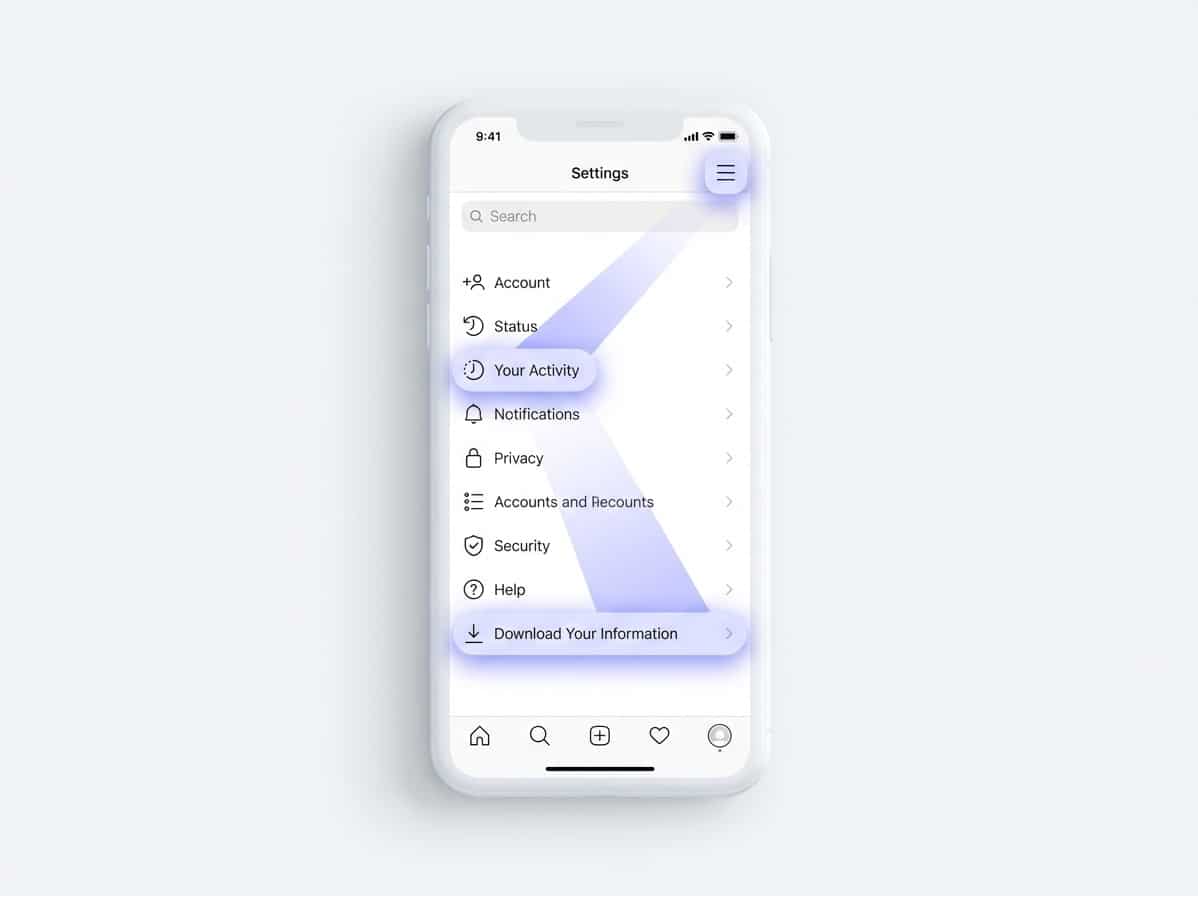
- Open Instagram and go to your profile
- Tap the menu (three lines) in the top right
- Select Your Activity
- Scroll down and tap Download Your Information
- Choose what data you want (select All for complete export)
- Pick your format: JSON (for analysis) or HTML (easier to read)
- Enter your email address
- Tap Request Download
Instagram emails you when the download is ready. You’ll get a link that expires after a few days. Download it before it disappears, or you’ll need to request it again.
Pro tip: Choose JSON format if you plan to use the data with tracking tools. HTML is prettier but harder to process automatically. JSON works directly with apps like UnfollowGram that analyze your follower data safely.
What Files You Actually Get
The download comes as a ZIP file. Unzip it, and you’ll find folders organizing different types of data. Size varies wildly. Small accounts might get 5MB. Active accounts with years of history? Could be several gigabytes.
Here’s what’s inside:
followers_and_following folder
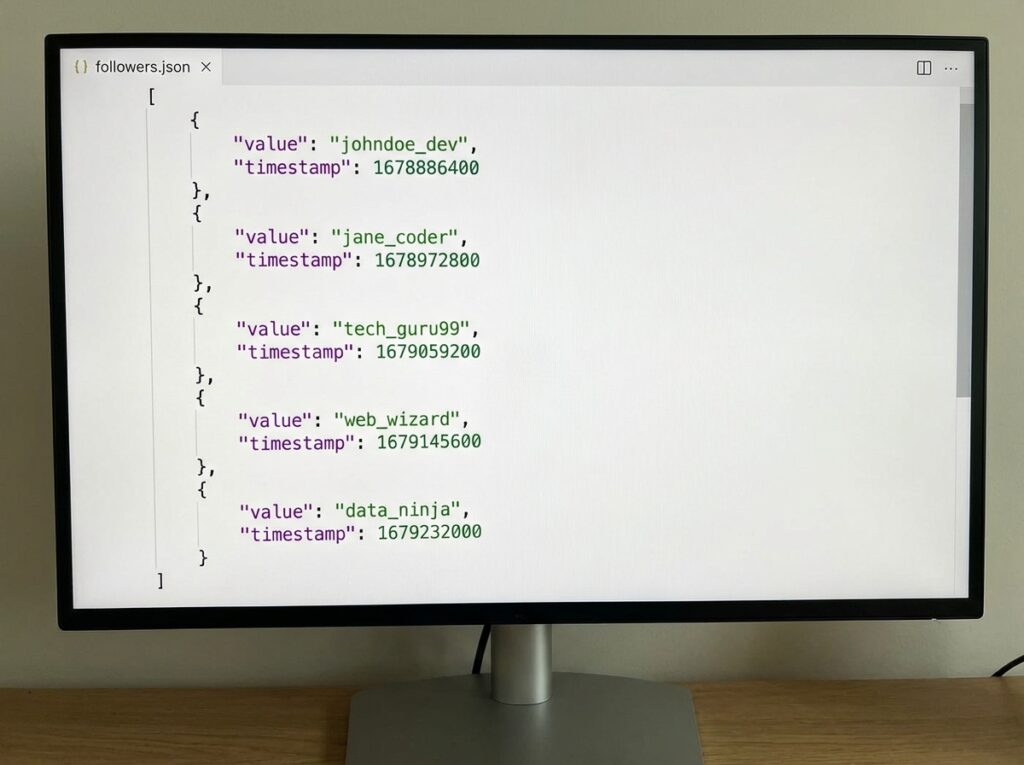
Contains followers.json and following.json. These are the gold files for tracking. Each lists usernames with timestamps showing when the follow happened.
messages folder
All your DM conversations. Organized by chat. Includes text, shared posts, and reactions. Can get huge if you message a lot.
content folder
Your posts, stories, reels, profile photos. The actual media files plus metadata like captions, timestamps, and locations.
comments folder
Every comment you’ve ever left on posts. Includes the text and timestamp.
likes folder
Posts and comments you’ve liked. Goes back to the beginning of your account.
saved folder
All saved posts are organized by collection.
login_and_account_creation folder
Login history, IP addresses, and devices used. Account creation date and settings changes.
Most folders contain JSON files. Looks intimidating if you’ve never seen code before. But the structure is actually simple once you understand it.
Understanding the Followers File
Open followers.json And you’ll see something like this:
[
{
“string_list_data”: [{
“value”: “username_here”,
“timestamp”: 1704067200
}]
},
…
]
Each entry represents one follower. The “value” is their username. The “timestamp” is when they followed you, stored as Unix time (seconds since January 1, 1970).
The following.json file has identical structure. Lists everyone you follow with timestamps.
Here’s where it gets useful. Compare these two files, and you instantly see:
- Who doesn’t follow you back: Usernames in following.json but not in followers.json
- Who you don’t follow back: Usernames in followers.json but not in following.json
- Mutual follows: Usernames appearing in both files
Do this comparison over time, and you can track who unfollowed. Export today, export next week, compare the two followers.json files. Anyone missing from the newer file unfollowed you.
Why This Matters for Safe Tracking
Here’s the thing about most follower tracking apps. They want your Instagram password. You log in through their app, they access your account directly, and suddenly, some random developer has complete control over your messages, posts, everything.
That’s how accounts get hijacked. That’s how people get banned.
Data export works completely differently. Instagram gives you your own data. You control it. No third party ever touches your login credentials. You share only the specific files you want to analyze.
This is exactly how safe unfollower tracking should work. You export your data through Instagram’s official tool. You upload the followers file to an analysis tool. The tool compares your current export with previous ones. Shows you who unfollowed.
Your password never leaves Instagram. Your account stays secure. Instagram can’t ban you for using your own data.
This guide is based on repeated Instagram data exports from real accounts, combined with long-term analysis of follower tracking behavior.
Practical Ways to Use Your Export
Beyond tracking unfollowers, the data export has other useful applications.
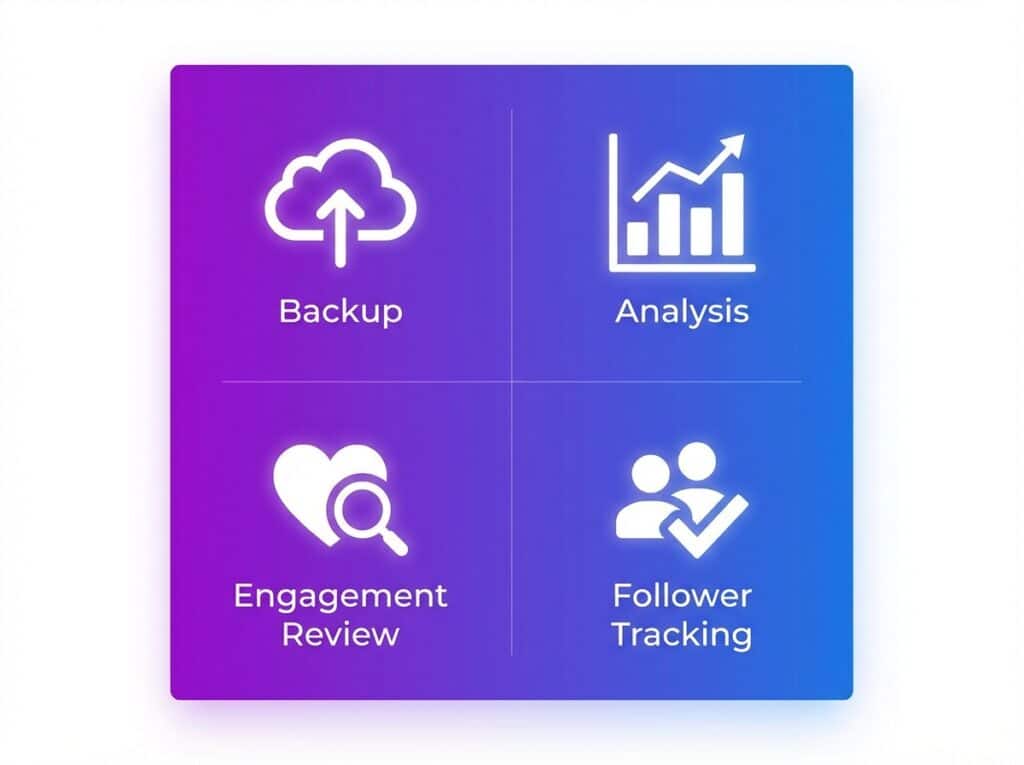
Backup Your Account
Instagram accounts get hacked. Get disabled. Disappear. Regular exports give you a complete backup of your content, messages, and connections. If something happens, you at least have your data.
Analyze Your Posting Patterns
The content files include timestamps. You can see when you posted most, what times got engagement, and seasonal patterns in your activity. Useful for optimizing your posting schedule.
Review Your Engagement History
The likes and comments files show your entire engagement history. Sometimes interesting to see patterns in what content you’ve interacted with over years.
Clean Up Your Following List
Finding who doesn’t follow you back helps you decide who to unfollow. The data export makes this comparison straightforward without risking your account on sketchy apps.
Common Questions About Instagram Data Export
How long does the download take?
Anywhere from 10 minutes to 48 hours. Larger accounts with more data take longer. Instagram processes requests in batches, so timing varies.
Does requesting data affect my account?
No. It’s an official Instagram feature. No restrictions, no flags, no impact on your account standing. Completely normal activity.
How often can I request exports?
No official limit. Practically, doing it weekly or bi-weekly makes sense for tracking changes. Daily is overkill and creates unnecessary files.
Can I see who unfollowed me directly in the export?
Not directly. The export shows current state, not changes. You need to compare multiple exports over time to see who left. Tools like UnfollowGram automate this comparison.
What format should I choose?
JSON for analysis and tools. HTML if you just want to browse your data manually. JSON is more useful but less readable.
Is this the same data Instagram has on me?
It’s a subset. Instagram keeps additional internal data about your behavior, ad targeting, and algorithm interactions that isn’t included in the export. But for follower tracking purposes, you get everything relevant.
Can I delete data after exporting?
Exporting and deleting are separate features. You can request deletion of specific data through Instagram’s privacy settings, but that’s a different process entirely.
Quick Summary
Instagram’s data export gives you complete access to your followers list, following list, and account history. Request it through Settings > Your Activity > Download Your Information. Choose JSON format for analysis tools. Compare exports over time to track unfollowers safely without giving your password to third-party apps.
This is the foundation of safe Instagram tracking. Your data. Your control. No account risk.

Ethan is the founder of UnfollowGram with more than 12 years of experience in social media marketing. He focuses on understanding how Instagram really works, from follower behavior to engagement patterns, and shares those insights through UnfollowGram’s tools and articles.





