
Instagram Follower Changes Explained (What’s Happening)
Last Updated on January 13, 2026 by Ethan
Here’s something I see constantly. Someone wakes up, checks their follower count, notices it dropped by 15, and immediately panics. They scroll through recent posts looking for what went wrong. Did I offend someone? Was it that caption?
Usually, it’s none of that.
Instagram follower changes confuse almost everyone. The platform doesn’t explain how things work. And the internet is full of apps making promises they can’t keep. I’ve watched friends lose accounts to sketchy trackers. I’ve seen creators obsess over numbers that meant nothing.
This guide clears things up. How followers actually work. Why do counts change when nobody unfollowed? What tracking tools can genuinely do and what they’re lying about. No sales pitch here. Just the stuff I wish someone had explained to me years ago.
How Instagram Followers Actually Work
Seems simple, right? Someone taps Follow. Your count goes up. They’re in your list. Done.
Not quite.
That number on your profile? It’s cached. Instagram doesn’t update it in real time. Refresh twice in a row, and you might see different numbers. Neither is wrong. They’re just snapshots from different moments.
Public and private accounts work differently, too. Public means anyone can follow instantly. Private means you approve each request first. Switch from public to private, and existing followers stay. Only new ones need approval.
Following someone doesn’t mean they follow you back. These are separate lists. Your followers. Your following. And the overlap where both happen. Lots of people mix these up, which causes confusion when analyzing changes later.
One more thing. You can see followers of public accounts. Private accounts hide that info from everyone except approved followers. No app can bypass this. If someone claims otherwise, they’re misleading you.
Why Your Follower Count Drops When Nobody Unfollows
This happens all the time. The count goes down. You check everything. Nothing seems wrong. So what happened?
Usually one of these:
Instagram cleaned house. They remove spam accounts and bots regularly. No announcement. If any of those followed you, your count drops. Nothing personal. Big creators sometimes lose thousands overnight during purges.
Someone deactivated. When accounts get deactivated, temporarily or permanently, they vanish from follower lists. Might come back if they reactivate. Might not.
Sync delays. Instagram’s servers don’t always agree with each other. Counts look different on different devices sometimes. Usually sorts itself out within hours.
Account got restricted. If Instagram restricts someone for suspicious activity, they might disappear from your followers temporarily. Restriction lifts, they reappear.
Point is, a dropping count doesn’t always mean people are leaving. Sometimes the platform is just doing maintenance.
Unfollow vs Remove vs Block
Three different actions. Three different outcomes. Worth understanding the difference.
Unfollow: They stop seeing your posts in their feed. You lose one follower. They can still visit your profile if it’s public. No notification was sent to you.
Remove follower: You kick them out. They’re gone from your list. If you’re public, they can still view your stuff and follow again. They won’t know you removed them.
Block: Nuclear option. Removes them as a follower, hides your content from them, prevents contact, and makes you invisible in their search. One-sided but complete.
There’s also Restrict, which is softer. They stay in your followers, but their comments only show to them unless you approve. Good for handling drama without escalation.
| Action | Follower Count | Can See Your Stuff? | Notified? |
|---|---|---|---|
| Unfollow | -1 | Yes (if public) | No |
| Remove | -1 | Yes (if public) | No |
| Block | -1 | No | No |
| Restrict | No change | Yes | No |
What Follower Trackers Actually Do
Let’s be honest about this. Lots of misconceptions are floating around.
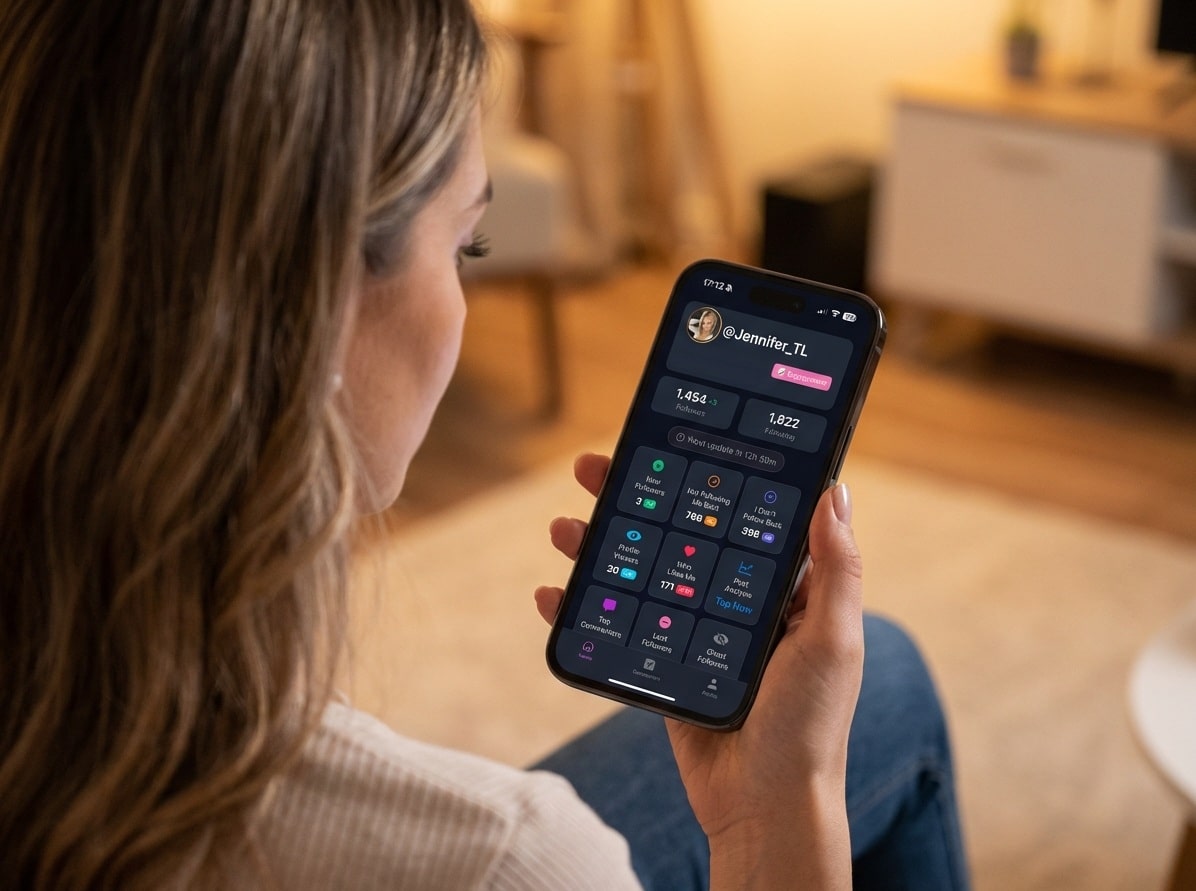
A tracker takes a snapshot of your followers right now. Then another snapshot later. Compares them. Shows what changed. New followers. Lost followers. Who doesn’t follow you back?
That’s it. That’s the core mechanic.
Important detail: trackers can’t show you anything from before you started using them. If someone unfollowed last month and you started tracking today, that info doesn’t exist. The tool only knows what it’s recorded.
Good trackers work with data you export from Instagram yourself. Or they use secure authentication that doesn’t require your password. Tools like UnfollowGram work this way. Compare snapshots over time, show the changes, never touch your login credentials.
The data gets categorized usefully. Recent unfollowers. New followers. Non-mutual follows. Patterns over time. Makes sense of raw numbers.
What Trackers Cannot Do
This part matters. A lot of apps lie about their capabilities. Here’s the truth:
Can’t show past unfollows. Before you started tracking? That data doesn’t exist anywhere that a third-party app can access.
Can’t see private account data. If someone’s account is private and you don’t follow them, their info is hidden. Period. No app bypasses Instagram’s privacy settings.
Can’t show who viewed your profile. This feature doesn’t exist. Instagram doesn’t share this data with anyone. Apps claiming otherwise are scams.
Can’t explain why someone unfollowed. A tracker tells you who. Never why. That context requires asking them directly.
Can’t give real-time notifications from Instagram. Instagram doesn’t provide unfollow alerts through any official channel. If an app claims instant notifications, it’s either constantly checking or lying.
Knowing these limits protects you from wasting money on impossible promises.
Is It Safe to Use a Follower Tracker?
Depends entirely on the tool.
The dangerous ones ask for your Instagram password. Never give this out. Ever. You’re trusting a random app not to hijack your account, sell your data, or get hacked. Many accounts have been stolen this way.
Instagram’s terms also prohibit sharing credentials with unauthorized apps. Get caught, and you risk suspension. Their systems detect unusual logins. Account gets flagged. Headaches follow.
Safe trackers don’t need your password. They work with data you export yourself from Instagram’s official download feature. Or they authenticate through secure methods that never expose your credentials.
Before using any tool, ask yourself:
- Does it want my password? Hard no.
- How does it get my data? Export or secure auth = good.
- What permissions does it need? Read-only = fine. Posting access = suspicious.
- What do reviews say about safety? Search for ban reports.
How to See Who Doesn’t Follow You Back
Non-mutual follows. You follow them, they don’t follow you. Common situation.
Manual method: Open your following list. Tap each profile. Check if they follow you. Repeat hundreds of times. Works but takes forever if you follow a lot of people.
Instagram helps a little. There are sorting options in your following list. “Least interacted with” sometimes surfaces in these accounts. Not reliable though.
Tracking tools do this instantly. They compare your following against your followers. One-sided relationships show up immediately. Takes seconds no matter how many accounts you follow.
What you do with the info is up to you. Some people unfollow non-mutuals to clean their ratio. Others keep following accounts they enjoy regardless. Neither approach is wrong.
Best Practices for Tracking Over Time
Tracking works best when you don’t obsess over it.
Check weekly, not daily. Daily checks create anxiety without adding insight. Weekly reviews give enough data to spot real trends.
Look for patterns. One unfollow means nothing. Consistent losses after certain content types might mean something. Aggregate data tells stories that individual data points can’t.
Don’t use tracking to stress yourself out. The goal is understanding your audience, not policing who follows you. If checking unfollowers makes you anxious, the tool isn’t helping.
Context always matters. Losing followers after a controversial post is different from losing followers during a platform-wide spam cleanup. Same number, totally different meanings.
Focus on long-term direction. Is your count generally growing, stable, or declining over months? That trajectory matters way more than yesterday’s fluctuation.
Frequently Asked Questions
Does Instagram notify you when someone unfollows?
No. There’s no notification. You’ll never get an alert from Instagram about unfollows. The only way to know is by checking your list manually or using a tracker.
Can I see who unfollowed me last month?
Only if you were already tracking back then. Trackers compare snapshots over time. No snapshot from last month means no data from last month. Can’t retrieve what was never recorded.
Why did my count drop overnight?
It could be Instagram removing spam accounts. It could be someone deactivating. Maybe sync issues between servers. Overnight drops often have nothing to do with actual unfollows.
Are follower trackers against Instagram’s rules?
Depends on the tracker. Password-based ones violate terms. Data export tools or secure auth methods don’t. Always check how the app accesses your info.
How accurate are unfollower apps?
Good ones are very accurate. They compare real data from real snapshots. Sketchy ones guess and estimate. Accuracy depends entirely on the method used.
What’s the safest way to track followers?
Use tools that never ask for your password. Export your data from Instagram yourself and let the tool analyze that. Your credentials never leave Instagram’s systems.
Why do influencers lose thousands of followers suddenly?
Usually, spam purges. Bigger accounts have more bot followers. When Instagram cleans up, they lose more. Sometimes it’s backlash from controversial content, but purges are more common.
Does blocking remove followers?
Yes. Blocking someone removes them from your followers immediately. They can’t see your content or find your profile while blocked.
Can someone unfollow without me knowing?
Absolutely. Instagram sends no notification. Unless you check manually or use a tracker, you’ll never know.
How often should I check unfollowers?
Weekly is plenty. Daily checking creates unnecessary stress. You want enough data to see patterns without obsessing over every single change.
Do trackers work on private accounts?
For your own private account, yes, if you provide the data. For other people’s private accounts, no. Instagram’s privacy rules apply to everyone, apps included.
Is tracking allowed in 2026?
Tracking your own data through legitimate means is fine. Using your own exports or authorized access doesn’t break rules. Sharing passwords with third parties still does.
Can I tell if someone muted me?
Nope. Muting is invisible. They stay with your followers. You get no indication. There’s no way to detect it through any method, official or otherwise.
What happens to followers if I deactivate?
You disappear from everyone’s lists while deactivated. Reactivate, and they usually come back. Some people report small discrepancies after long deactivations.
Why do new followers disappear immediately?
Follow-unfollow tactics. They follow, hoping you’ll follow back, then unfollow. Sometimes, spam accounts get removed by Instagram shortly after following. Sometimes just accidental follows.
Can Instagram detect I’m using a tracker?
If you export your own data and analyze it offline, Instagram can’t detect anything. If the tracker logs into your account, that activity is visible to Instagram.
The Takeaway
Follower tracking isn’t about obsessing over numbers. It’s about seeing patterns you’d otherwise miss. Counts change for tons of reasons beyond real unfollows. Spam cleanups. Deactivations. Server sync issues. Understanding that stops the panic.
Used responsibly, tracking helps you make better decisions. Not guesses. Just actual data about what’s happening with your audience over time.
If you want to try tracking safely, the UnfollowGram Followers & Unfollowers App shows how snapshot comparison works without needing password access.

Ethan is the founder of UnfollowGram with more than 12 years of experience in social media marketing. He focuses on understanding how Instagram really works, from follower behavior to engagement patterns, and shares those insights through UnfollowGram’s tools and articles.





