
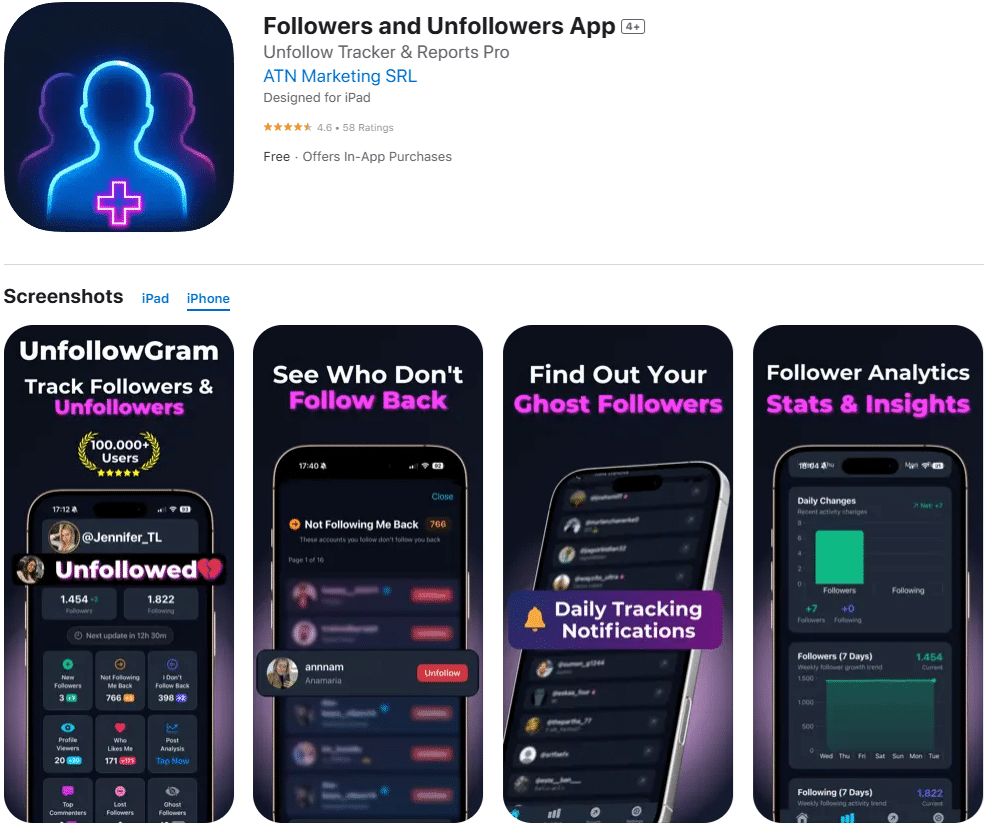
Track New Followers Daily
UnfollowGram shows you who followed, who unfollowed, and who isn't following back. Snapshot-based tracking that actually works. Push notifications when something changes.
Instagram Recent Follow
Instagram no longer offers a straightforward "recent followers" list, making tracking recent followers tricky. Effective tracking relies on comparing snapshots of follower lists over time. For quick checks, use notifications or your followers list, but be aware that order and visibility can be inconsistent. The method that works in 2026 is comparing "then vs now" instead of relying on some magical live "recent" feed.
What "Instagram Recent Followers" Really Means in 2026
Most people mean one of two things - and Instagram treats them differently on purpose.
"Who Followed ME Recently"
New followers in the last few hours or days. This is what most people tracking their own account want to know.
✓ Can be tracked with snapshots
"Who Someone ELSE Recently Followed"
Checking a partner, competitor, or influencer's following activity. Instagram has been tightening this.
⚠️ Much harder - order isn't reliable
For your own account, Instagram shows follow notifications and a "Recent" sorting in some places, but it's not consistent across devices and it's not designed as a real tracking log. Any tool claiming "perfect recent follow order" for everyone is... yeah. Usually nonsense.
Why Recent Follower Tracking Is Hard
Instagram doesn't want apps scraping follower lists nonstop.
The practical result: you can't reliably pull a timestamped list of followers from Instagram like it's a spreadsheet export. So trackers that work long-term do something simpler:
Take a snapshot of your followers list now
Take another snapshot later
Compare the two and label differences as new followers and unfollowers
Lived detail: On smaller accounts (500 to 5,000 followers), those snapshots usually feel instant. On bigger accounts, you'll sometimes notice the "checking" phase takes longer, and edge cases (like people deactivating/reactivating) show up more often. That's just what happens when lists get huge.
Ways to See Your Most Recent Followers
Three methods, ranked by what actually works.
1. Instagram Notifications
If you just need "who followed me today," notifications are the quickest answer.
Catch: You miss things if you're not checking consistently, and notifications get buried under likes, comments, and story replies.
2. Followers List
Instagram sometimes shows followers in a "most relevant" style order, not strictly newest first.
Catch: Two people can look at the same account and swear the order is different. It's sorted by who Instagram thinks matters to you.
3. Snapshot Tool
If your goal is "show me who followed since yesterday," you want snapshots. Check daily, compare scans.
Why: This is the only method that stays stable through platform changes.
Pro tip: If you check at random times, your "recent followers" list will feel messy. When I've had clients check at the same time each day (like 9am), the data looks way cleaner and they stop spiraling over normal fluctuations.
What to Actually DO With Your Recent Followers Data
Tracking new followers isn't just curiosity - it's feedback you can act on.
Look for Pattern Spikes
Did a Reel bring in 40 new people in a day? That's a signal. I've watched "one good Reel" outperform 10 polished photos. Annoying. True.
Spot Dead-Weight Follows
If you get a wave of obvious bots, don't ignore it. Bot percentages are lower than they used to be, but they still mess with reach long-term.
Welcome the Right People
If new followers are actually your target audience, reply to their first comment, like a post, or DM a quick thanks. Not spammy. Just human.
The Momentum Insight Most People Miss
If you're obsessing over follower count but not growth rate, you're missing what the algorithm seems to reward now: upward velocity. Instagram has roughly 2 billion monthly active users, and the growth game is more about momentum than raw size. Smaller accounts are still punching above their weight when they move fast.
Common Mistakes I See (And Yep, I've Done Some Too)
Learn from my mistakes so you don't repeat them.
Assuming "Recent" = Chronological
It isn't always, and that leads to wild accusations. I've seen creators swear someone "unfollowed" when it was just list ordering being funky.
Only Checking When Insecure
I used to do this. Bad habit. You'll always check at the worst time, see a dip, and spiral. Check consistently or not at all.
Ignoring Followers vs Following
If you don't understand how those two lists behave differently, you'll misread everything. They're not the same thing.
Chasing Follow-Backs Over Community
Not everyone who follows you should be someone you follow back, and not everyone you follow will return it. That's normal.
Limitations (What Recent Follow Tracking Won't Tell You)
This is the part most tools gloss over, and it's why people get mad.
No Exact Timestamps
You won't get "followed at 2:14pm" from normal tracking methods, because Instagram doesn't reliably provide that.
Private Accounts Are a Hard Stop
For most "see who they followed recently" requests - if the account is private and you're not approved, you're not seeing meaningful data. Period.
Deactivations Look Like Unfollows
Someone who temporarily disables their account can show up as an unfollower between snapshots, then "return" later. It's not your imagination. It's a platform behavior.
Ordering Varies by Device
I've watched the same account show slightly different ordering across iPhone vs Android on the same day. Not fun, but that's how it works during app updates.
How UnfollowGram Helps With Instagram Recent Followers
When people ask me for an "Instagram recent follow tracker," what they usually need is a clean way to see new followers since the last time they checked, without handing their password to some sketchy app.
UnfollowGram works by pulling what's publicly available for public accounts, then showing changes like new followers, non-followers, and unfollowers - without asking you to log in.
Sweet spot: On accounts that post Reels daily, checking new followers once every 24 hours works best. If you check every hour, the list feels noisy and you'll overreact to normal churn. If you only check once a month, you miss the "who followed from which post" insight that actually helps you repeat what worked.
What UnfollowGram Tracks For You
New Followers
See who followed you since your last check. Daily snapshots make this clear.
Unfollowers
Who stopped following you? Spot patterns around content that causes churn.
Non-Followers
People you follow who don't follow you back. Useful for cleanup.
Push Notifications
Get alerted when something changes - no need to check obsessively.
One honest caveat: If your account is private, tools like this won't magically unlock anything for strangers. And if someone is trying to track another person's private following activity - that's not how this works (and it shouldn't be).
Instagram Recent Followers FAQ
Straight answers to common questions
The Bottom Line
Tracking Instagram recent followers is less about finding a hidden "recent" button and more about comparing follower snapshots so you can see who's new, who left, and what content is causing spikes.
Keep your expectations realistic. Watch for the failure modes (private accounts, list ordering, deactivations). Use the data to repeat what's driving momentum, especially with Reels and community-first posts.
If you want a straightforward way to monitor new followers and unfollows without handing over your password, UnfollowGram is worth trying. It's fast, it's simple, and it keeps the drama to a minimum.
Ready to Track Your Recent Followers?
Snapshot-based tracking that actually works. No password needed.