
Instagram Shadowban Signs and Fixes
Last Updated on January 28, 2026 by Ethan
An Instagram shadowban is basically a silent reach limiter: your posts still exist, but Instagram stops showing them to people who don’t already follow you (especially through hashtags and recommendations). You usually notice it as a sudden, ugly drop in reach and “randomly dead” engagement, with no warning and no clear reason.
I’ve dealt with this on creator accounts, client brand pages, and a couple of my own “test” profiles (the ones I’m not emotionally attached to, because I break things on purpose). The patterns are real, even if Instagram refuses to call it a shadowban. What’s actually happening is closer to “recommendation limits” or “reduced visibility” based on trust signals.
Here’s what to look for, how to check without freaking yourself out, what usually sets it off, and what I’ve seen actually help in 2026.
TL;DR: An Instagram shadowban limits your posts’ visibility to non-followers, often seen as a sudden drop in reach and engagement. In most cases it’s more about how much Instagram trusts your account overall, not one random post, and yeah, smaller accounts tend to feel it way more. So don’t try to game it. Talk to real people, keep your activity looking normal, and avoid the spammy stuff, it usually helps over time.
What “shadowban” means, in plain English: Instagram won’t send you some little alert saying, “Hey, you’re shadowbanned.”
The reason people argue about whether shadowbans “exist” is semantic. Instagram will deny the label, but the behavior is obvious: recommendation systems can throttle reach when your account trips certain quality or safety thresholds. That’s the whole game.
Here’s the counterintuitive part nobody likes hearing: sometimes it’s not your post that’s the problem. It’s your account trust. You can post a perfectly harmless Reel and still get weak distribution because your recent activity looks spammy, automated, or report-prone.
How shadowbanning works (what Instagram is likely doing behind the scenes)
Think of Instagram like a bouncer, not a librarian. It’s constantly deciding what gets shown to non-followers because that’s where “risk” lives: spam, scams, unsafe content, misinformation, engagement bait, all of it.
When you hit post, Instagram usually shows it to a small group first and basically watches what happens. And if that first group reacts well, more watch time, saves, shares, real comments, then Instagram tends to push it out to more people. If the system sees risk signals (policy edges, spam patterns, repeated reports, bot-like engagement), it narrows distribution and keeps your content inside your follower bubble.
That’s why shadowban symptoms feel so weird: your followers may still see posts, but discovery channels go quiet. And yeah, it can look like the algorithm “hates” you. It’s usually just caution.
One more lived-detail thing I’ve noticed: on smaller accounts (say under 2,000 followers), a “shadowban” often looks like total invisibility because you don’t have enough follower momentum to hide the distribution drop. On bigger accounts, you still get likes, but your non-follower reach graph falls off a cliff.
Instagram shadowban signs (the ones I trust)
Not every dip is a shadowban. Sometimes your content just didn’t land. Sometimes it’s seasonality. Sometimes you posted at a weird time and your audience was asleep. Been there.
But these signs, in combination, are the ones that consistently correlate with recommendation limits:
- Your posts don’t show up in hashtag searches (even for small, low-competition hashtags).
- Reach drops 50% to 90% basically overnight, especially non-follower reach.
- Explore and “suggested” traffic dries up (Reels tab too).
- Stories lose non-follower viewers and your story view count becomes almost entirely followers.
- Fewer new followers per post, even when your content format is the same.
- Comments and DMs slow down because fewer new people are seeing you.
And here’s a super specific one I see a lot: your “top hashtags” in Insights suddenly stop contributing reach, even though you’re using the same tag sets that used to work. That’s not a guarantee, but it’s a big eyebrow-raiser.
A quick self-check before you panic
If your last 2-3 posts underperformed but your Stories are normal and your follower reach is steady, that’s usually not a shadowban. It’s just… content variance. Annoying. Normal.
How to test if you’re shadowbanned (without guessing)
You don’t need ten tools and a conspiracy wall. Do two simple tests and you’ll get a pretty clean signal.

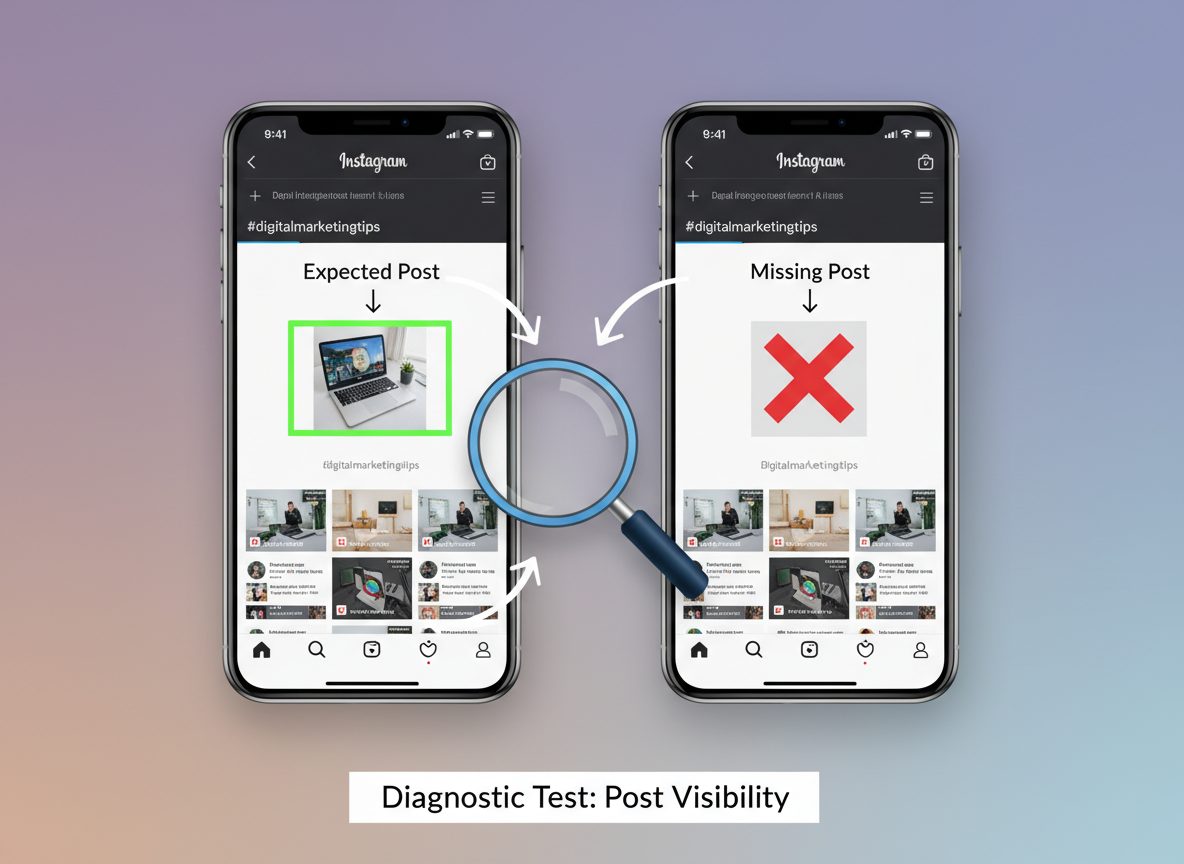
- The “small hashtag” test
Post something normal (not controversial, not borderline) and use 3 to 6 niche hashtags that have small volumes. Then ask a friend who doesn’t follow you to check those hashtag pages a few minutes later and again after 30 to 60 minutes.
If you’re not showing up under “Recent” on multiple small hashtags, that’s a strong sign your distribution is restricted.
- The “non-follower reach” check
Open Insights for a post (or Reel) and look at the breakdown. If your non-follower reach suddenly collapses across several posts, while follower reach is relatively stable, that’s classic recommendation limiting behavior.
A lived-detail note: on accounts with 50k+ followers, the hashtag test can be messy because you can still appear for some hashtags while being suppressed on others (especially if a tag is partially restricted). On smaller accounts, the test is brutally clear: you either show up or you don’t.
What not to use as “proof”
Don’t rely on “my friend can’t find me on Explore” as a standalone test. Explore is heavily personalized. It’s a vibes-based feed.
Why did I get shadowbanned on Instagram?
This is the big one. And honestly, it’s usually not some mysterious curse. It’s a pattern.
The most common triggers I see in real accounts are:
- Community Guidelines or recommendation policy issues: even mild nudity, “before/after” body content, implied adult content, weapons, or anything that gets interpreted as unsafe.
- Banned or restricted hashtags: some tags look innocent and still cause problems because they’ve been spammed into the ground. One bad tag mixed into your set can tank distribution.
- Automation tools and bot behavior: auto-likers, auto-DMs, follow/unfollow loops, comment bots. Instagram’s detection has gotten way better.
- Aggressive engagement bursts: you follow 80 accounts in 10 minutes, like 300 posts, comment the same thing repeatedly. It screams “not human.”
- Engagement pods: coordinated “like/comment within 5 minutes” groups. They still exist. They still backfire.
- Getting reported a lot: even if you “did nothing wrong,” repeated reports can flip your account into a caution state for a while.
If you want a deeper breakdown from other practitioners, these guides are worth skimming: EmbedSocial’s shadowban removal rundown and LitCommerce’s shadowban explanation. I don’t agree with every “quick fix” you’ll see in posts like these, but the core causes line up with what I’ve seen.
The messy reality: sometimes it’s one dumb thing
I’ve seen accounts get throttled because they pasted the same block of hashtags for weeks straight. I’ve seen it happen after they used a sketchy giveaway growth service “for just three days.” I’ve also seen a single Reel get a wave of reports (usually from a competitor, not kidding) and the account’s reach dipped for 10 to 14 days after.
And yes, I’ve personally done the “comment too fast while watching TV” thing. Felt productive. Looked bot-like. Not my proudest moment.
Common mistakes people make when diagnosing a shadowban
This is where most people get stuck, because the symptoms look similar to normal performance dips.
- Mistaking a content slump for a shadowban: not every drop is a penalty. Sometimes your post just didn’t earn distribution.
- Changing 12 variables at once: new niche, new hashtags, new posting times, new format, new bio, new everything. Then you have no idea what helped.
- Overposting to “break” the ban: dumping 5 posts in a day usually makes it worse if your account is already flagged.
- Using more automation to fix automation damage: I’ve seen people stack tools on tools. That’s how you dig deeper.
Fixes that actually work (step-by-step)
If you think you’re dealing with an instagram shadowban, you want to do two things: remove obvious risk signals and rebuild “normal human” patterns long enough for your recommendations to recover.
- Pause the spammy stuff for 48 to 72 hours
Stop aggressive liking sprees, mass following, repetitive commenting, and any automation. You can still reply to real comments and DMs. Keep it human.
- Audit your last 10 posts for tripwires
Delete or edit anything that’s borderline (policy gray area, misleading claims, “link in bio for $$$,” copied watermarked content, etc.). If you used a suspect hashtag set, remove it and don’t reuse it.
- Clean up your hashtags (don’t just “use fewer”)
The goal isn’t less. The goal is safer and more relevant. Rotate sets, avoid anything that’s obviously spammy, and stop using massive generic tags that attract bot traffic.
If you’re not sure where you’re tripping limits from hyperactive behavior, read this once and save it: daily and hourly Instagram follow limits explained. A lot of “shadowban” cases are really just action limits and trust hits from moving too fast.
- Revoke third-party app access
If you’ve connected growth tools, schedulers you don’t trust, or “profile viewers,” remove them. Even legit tools can become a liability if they behave aggressively.
If you want a sanity checklist I actually agree with, use this: tracker safety checklist for Instagram tools.
- Shift to “trust-building” content for a week
Post content that’s clearly original, non-controversial, and easy to engage with naturally. Reels help here, not because they’re magic, but because they’re the most recommendation-driven surface right now.
One specific thing I’ve seen work: 3 to 5 Reels over 7 to 10 days, with calm captions, no bait, no spam hashtags, and real reply threads in comments. Boring? Kind of. Effective? Weirdly, yes.
- Check Account Status (and take it seriously)
If Instagram flags content as “not eligible to be recommended,” that’s basically the platform telling you what’s happening. Fix what you can, appeal if it’s wrong, and give it time.
- Last resort: temporary deactivation
Sometimes a brief deactivate/reactivate seems to “reset” things. I’ve seen it help on a couple accounts, and I’ve seen it do nothing. So I treat it like a last card, not step one.
If you want another external perspective specifically on the “why can’t I recover” situation, Multilogin’s write-up on shadowban behavior touches the same root issue: Instagram’s systems are looking for patterns, not your intentions.
Failure mode: where recovery falls apart
This is where it gets weird: if your account is getting frequent user reports (even “spam” reports with no real basis), you can do everything right and still see throttling return after you post something that reaches outside your follower base. I’ve watched this happen with creators in drama-heavy niches. Clean content, clean behavior, still volatile distribution because the audience behavior is volatile.
The other failure mode is when people “fix” hashtags but keep the same botty engagement rhythm. Instagram doesn’t just look at tags. It looks at you.
Prevention: how to avoid an Instagram shadowban going forward
Prevention is mostly about not looking like a growth hacker from 2019.
- Keep your actions human-paced: spread follows/likes/comments across the day instead of doing it in bursts.
- Don’t copy-paste the same comment everywhere: it reads like automation, even when it’s you.
- Rotate hashtag sets: and keep them tight to your actual post topic.
- Use original content: especially for Reels. Watermarks are a quiet reach killer.
- Watch your account quality signals: sudden spikes in low-quality followers can change how your engagement looks.
If you’re trying to get more analytical about it (and not just “feel” your way through), keep an eye on your engagement rate trends and where your reach is coming from. This helps you catch a throttle early instead of two weeks later: how to track Instagram engagement rate.
A quick tangent: the “ghost follower” trap
I’ve seen people swear they’re shadowbanned when the real issue is their audience got diluted: bots, inactive accounts, and low-intent followers. Your posts go out, nobody engages, the system stops expanding reach. It feels like a ban, but it’s more like dead weight.
If that sounds familiar, you’ll relate to this breakdown on ghost followers on Instagram.
How UnfollowGram Follower Tracker helps when you suspect a shadowban
When people think “shadowban,” they usually stare at reach graphs and panic-refresh Insights. I get it. But in practice, a shadowban diagnosis gets clearer when you track follower movement and relationship signals alongside reach.
That’s why I like using a no-login, no-password tool like a password-free unfollower tracker for checking unusual follower drops during suspected shadowban periods. If your reach tanks and you also see a spike in unfollows or a weird stall in new followers, it supports the idea that your discovery is being limited (or that a specific content shift turned people off).
Also, UnfollowGram is useful for separating “algorithm problems” from “audience problems.” If your content is fine but you’re bleeding followers, that’s a different fix than “change hashtags.” And honest limitation: UnfollowGram won’t tell you “you are shadowbanned” because Instagram doesn’t hand out that label. What it does do well is show who left, who’s not following back, and new follower changes so you can connect the dots without handing your IG password to some sketchy app.
If you run a creator profile or manage clients, pairing this with native analytics is even better. I usually keep follower movement, non-follower reach, and content topics in the same weekly note. It’s not glamorous. It works.
And if you’re on a professional profile and want to go deeper into what Instagram is showing you about your audience, this is a solid companion read: business account follower analytics.
Limitations (so you don’t chase ghosts)
You can’t prove an instagram shadowban with 100% certainty from the outside. Instagram doesn’t provide a “shadowban status” indicator, and third-party tools don’t have access to recommendation eligibility in a clean, definitive way.
Also, the hashtag test won’t tell you why you’re limited. It only tells you that distribution appears restricted. The “why” usually comes from your recent behavior, content risk, reports, or third-party access, and sometimes it’s a combination that takes a few days to unwind.
FAQ
Why did I get shadowbanned on Instagram?
Most shadowban-like restrictions come from policy-risk content, banned/spammy hashtags, automation or bot-like activity, or repeated user reports that reduce your account’s recommendation eligibility.
How long does an Instagram shadowban last?
It varies, but most cases I’ve seen resolve in a few days to about two weeks once you remove the trigger and stop suspicious activity.
Will switching to a personal or business account remove a shadowban?
No, account type alone usually doesn’t fix it; the restriction is tied to trust and recommendation signals, not whether you’re personal, creator, or business.
Do banned hashtags still matter in 2026?
Yes, because restricted tags can act like low-quality signals; even one bad tag mixed into your set can reduce how confidently Instagram distributes that post.
Should I stop posting if I think I’m shadowbanned?
A short pause (48 to 72 hours) can help if your recent activity looks spammy, but disappearing for weeks isn’t required and sometimes just slows your recovery.
Conclusion
An Instagram shadowban is less “punishment” and more “distribution caution,” and the fix is usually about removing risk signals and returning to normal, human behavior long enough for recommendations to open back up. Test with small hashtags, look at non-follower reach, clean up tag sets and third-party access, and rebuild with original content (Reels help a lot right now).
If you’re trying to make sense of the chaos, track more than just views. Watch follower movement too. And if you want an easy way to monitor unfollows and follow-back patterns while you’re troubleshooting, UnfollowGram Follower Tracker is worth keeping in your toolkit.
When you stop guessing, this stuff gets way less stressful.





