

Instagram Unfollow Reports That Actually Work
Last Updated on February 20, 2026 by Ethan
Instagram doesn’t give you “unfollow notifications”, so the only instagram unfollow reports that actually work are the ones built on comparisons: you snapshot follower data, then you compare it later.
Everything else is basically vibes. And yeah, I’ve tested a lot of these tools on creator accounts, small businesses, and a couple influencer pages where unfollows are just part of the weekly weather.
Below is what holds up in 2026: what to trust, what breaks, and how to turn an unfollow report into something you can actually use (instead of doom-scrolling your follower list at 1 a.m.).
TL;DR: Instagram doesn’t provide unfollow notifications, so effective unfollow reports rely on comparing follower data over time. The best methods are using Instagram’s own data export or snapshot tools that track changes. Beware of apps claiming real-time updates without a baseline, as they may not be reliable.
What “Instagram unfollow reports” really mean in 2026
People hear “unfollow report” and imagine a clean PDF from Instagram that says, “Congrats, these 23 people left.” That doesn’t exist. Instagram has never shipped that feature, and honestly they probably won’t, because it encourages obsessive tracking.
So when you’re shopping for instagram unfollow reports, what you’re really buying is one of these:
- A comparison report (list A vs list B, with a timestamp in between).
- A manual export + spreadsheet diff (annoying, but reliable).
- A “public data” snapshot that checks what’s visible on public accounts and flags changes.
That’s it. If an app claims it can “instantly show every unfollower in real time” without any kind of baseline snapshot, I get suspicious fast.
How it works (the only mechanism that’s consistently reliable)
The reason unfollow reports work at all is simple: you can’t detect an unfollow directly; you can only detect a difference between two points in time.
So the workflow always looks like this:
- Capture a baseline: followers and (ideally) following.
- Wait: hours, days, or a week.
- Capture again.
- Compare: names that existed before but not now are “unfollowers” (with a few caveats).
Here’s a lived-detail thing I see constantly: on bigger accounts (50k+), reports can look “wrong” if you check too frequently, because the platform’s list visibility and ordering can lag. If you run a check at 9:02 and again at 9:07, you’re basically begging for noise.
And on tiny accounts (under 1k), the opposite happens: one person leaves, and it feels personal. It usually isn’t. It’s just math.
The three unfollow report methods that actually hold up
1) Instagram’s own data export (boring, but clean)
If you want the most defensible unfollow reporting, use Instagram’s settings to download your information and pull follower lists periodically. It’s not “fun,” but it’s hard to argue with a list that came from the platform itself.
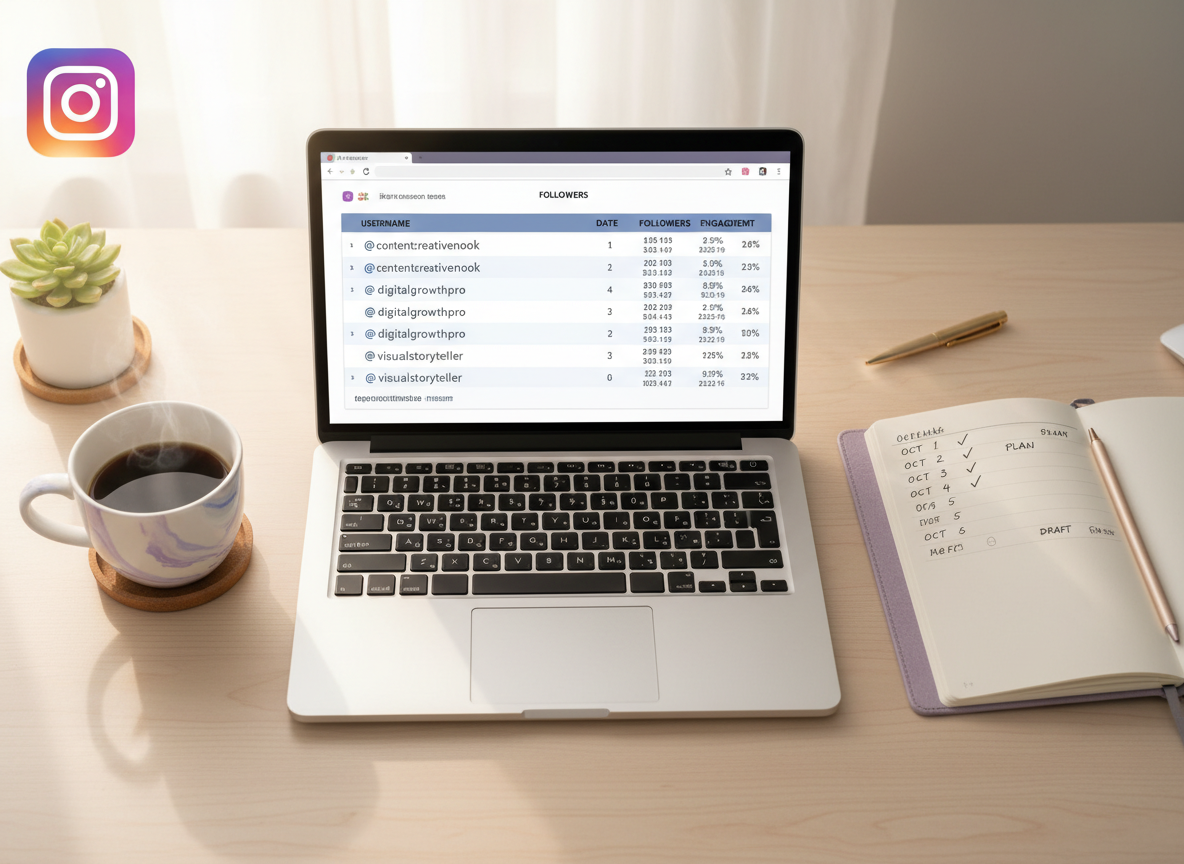
What I do for clients is log export dates next to the content calendar. That’s where the money is. You start seeing patterns like “sales post + sales story + affiliate link = drop the next day.”
One more lived-detail: if you export right after a big Reel spikes, you’ll see a surge of low-intent follows, and a chunk of them will evaporate within 48 hours. That’s normal. Don’t spiral.
2) Snapshot tools (fast reports, practical for daily tracking)
If you’re managing a creator account and you need daily or near-daily unfollow reports, snapshot tools can be a lot more usable than manual exports. The key is picking ones that don’t ask for your password and aren’t trying to automate actions on your account.
For context, tools like Zeely and Dolphin Radar have leaned into “safe tracking” positioning. If you want to see how those approaches are described, you can skim Zeely’s overview here: how to see who unfollowed you on Instagram, and Dolphin Radar’s product announcement here: Dolphin Radar’s unfollowers tracker update.
My practical advice: run snapshots at consistent times. Morning vs evening matters more than people think, because follower churn often clusters around when you post (and when people do their “cleanup unfollow” sessions).
3) Pattern analysis (the “why”, not just the “who”)
Unfollow reports are only half the story. The other half is diagnosing why it happened so you can stop repeating the same trigger.
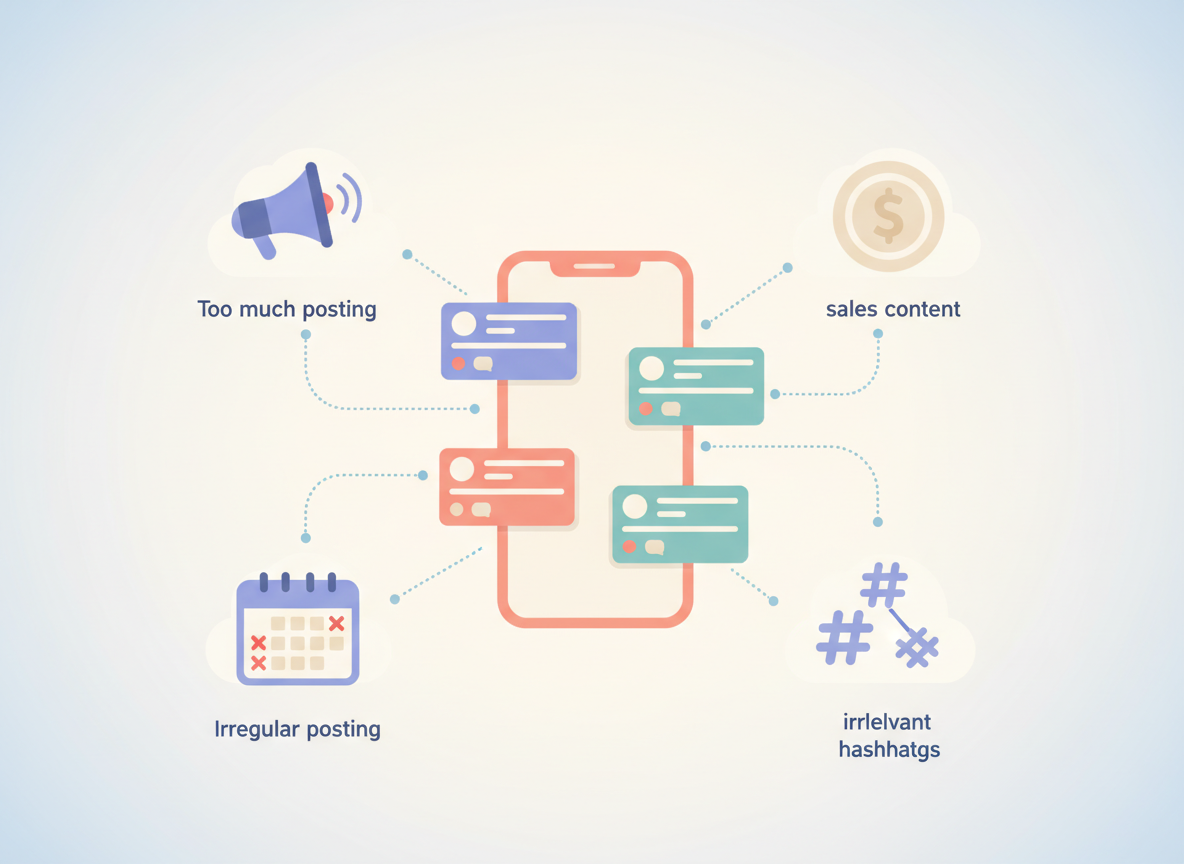
Across accounts I’ve worked on, the same unfollow triggers show up again and again:
- Irregular posting (you disappear, then come back loud)
- Too sales-heavy (this is the silent killer, honestly)
- Weak visual identity (your page stops feeling “follow-worthy”)
- Posting too much (yes, you can annoy people)
- Hashtag issues (banned or spammy tags can tank reach and bring the wrong crowd)
Counterintuitive truth: you’d think posting more always reduces unfollows because you’re “showing up.” But I’ve seen burst posting create more churn than a slow week, because people feel like your account turned into noise overnight.
What your unfollow report is really telling you (and what it’s not)
Follower drops aren’t one thing. They’re a messy mix of real humans, bot cleanups, people deactivating, and “oops I unfollowed while cleaning my feed.”
Roughly 14% of followers being bots or inactive is a number that lines up with what I see when we audit accounts, and it explains a surprising amount of churn when Instagram does cleanup waves. If you want the broader follower stats context, this roundup is decent: Instagram followers statistics.
Here’s the part that stings a little: a chunk of your losses are not “because your content got worse.” It’s because the platform removed junk accounts, or someone went on a digital detox, or your Reel got pushed to the wrong audience for a day.
And yeah, I’ve personally overreacted to this before. I once rewrote a whole content plan because of a two-day drop, then realized it was basically a bot purge plus one polarizing post. Oops.
A simple workflow for unfollow reports you can trust
You don’t need a fancy dashboard to get useful instagram unfollow reports. You need a repeatable routine.
Step 1: Pick your tracking cadence (daily, weekly, or monthly)
If you post most days, track more often. If you post 3 to 5 times a week, weekly is usually enough.
If you’re unsure, follow a steady cadence like this (and don’t change it every week): weekly vs monthly follower tracking schedules.
Step 2: Capture a clean baseline, then compare
Whether you use exports or a tool, you want consistency. Same account. Same timing. Same rules.
And if you’re getting weird mismatches, do this before blaming the tool: how to verify follower data. That quick sanity check saves a lot of head-banging.
Step 3: Separate “unfollowers” from “non-followers”
These get mixed up constantly. Unfollowers are people who used to follow you and left. Non-followers are accounts you follow who never followed back (or stopped following ages ago).
They require different actions. If you treat them the same, you’ll end up unfollowing the wrong people and wondering why engagement gets weird.
Step 4: Tag the moment, not the person
When you see a drop, don’t obsess over the individual accounts first. Look at what changed in your content that day: format, frequency, topic, and “sales density.”
One thing that’s helped a lot: don’t stack promos back-to-back. Rotate formats. Test timing. Brands doing this consistently tend to see healthier click-through behavior (I’ve seen ~9% CTR on well-structured promo cycles), and you also get fewer “ugh, another ad” unfollows.
Failure modes: where unfollow reports fall apart (so you don’t waste your time)
This is where most articles get dishonest. Stuff breaks. Here’s when I’ve seen unfollow reporting get flaky:
- Private accounts you don’t have visibility into: if the data isn’t available, a report can’t magically invent it.
- Checking too frequently on larger accounts: you’ll catch list lag and temporary inconsistencies (it looks like unfollows, then “fixes itself”).
- During platform cleanup waves: your report will show a ton of “unfollowers,” but the real cause is Instagram removing bot/inactive accounts.
- When a tool asks for your IG password: even if it “works,” it’s a risk I won’t take anymore. I’ve seen people locked out. Not fun.
One caveat: even the best report won’t tell you why a specific person unfollowed. It can show “who” and “when,” but not the reason inside their head.
The mistakes people make with unfollow reports (I’ve watched this happen a lot)
- They take it personally. I get it. Still, most unfollows are misalignment, not betrayal.
- They panic during bot purges. If your follower count drops in a clean, steady way across days, it might be platform cleanup.
- They do burst posting, then vanish. That pattern spikes unfollows more than “posting less, consistently.”
- They go sales-only for a week. I’ve seen sales-heavy stretches drive huge losses. People followed you for you, not your checkout link.
- They trust sketchy extensions. Browser extensions are where I see the most “it worked once, then it got weird” stories.
If you want the deeper version of why some tools can’t be trusted long-term, this breakdown is worth reading: why unfollower apps become unreliable.
Choosing a tool: what I look for (and what I refuse to touch)
You’re not just buying “instagram unfollow reports.” You’re buying a data collection method. So I judge tools like I’m judging a contractor: what access do you need, what risks are you taking, and what happens when Instagram changes something again?
My checklist:
- No password required (non-negotiable for me now)
- Clear explanation of what data it uses (public lists vs exports vs logged-in access)
- Comparison over time (otherwise it’s guessing)
- Fast enough for your account size (big lists take longer, that’s reality)
- Doesn’t push “mass unfollow” behavior (that’s where people get into trouble)
If you want a quick reality-based scan of what’s out there, I keep pointing people to this roundup: real Instagram unfollow tracker app reviews. It’s easier than installing five things and regretting three of them.
How UnfollowGram Follower Tracker helps with instagram unfollow reports
UnfollowGram exists for a pretty specific reason: most people want unfollow reports, but they don’t want to hand over their Instagram password (and they really don’t want bans or account lockouts). Same. That’s why UnfollowGram is built around public-account tracking and comparison-style reporting, without asking you to log in.
In practice, the flow is simple: you enter a username, pull a snapshot, then you can check again later to see what changed. I’ve used it when I needed a quick “who left since last check?” answer without the usual sketchy login prompts. And when you’re juggling multiple accounts, that speed matters more than you’d think.
Honest limitation: it won’t work for private accounts you can’t access, and it can’t read anyone’s “reason” for unfollowing (nobody can). But for straightforward unfollow reporting on public profiles, it’s one of the cleaner options I’ve used because it keeps the security piece simple.
If you’re trying to monitor churn day-to-day, this is the kind of recent unfollowers reporting that’s actually useful, because it gives you a timely list you can compare against your posting schedule.
If you want to try the web flow, here’s the page I send people to when they ask for a no-password unfollow report option: a no-login Instagram unfollow report checker for public accounts.
FAQ
Does Instagram notify you when someone unfollows?
No. Instagram doesn’t send unfollow notifications, so any unfollow report is based on comparing follower lists over time.
What’s the safest way to get instagram unfollow reports in 2026?
Use Instagram’s own data export for maximum accuracy, or use a reputable comparison-based tracker that doesn’t ask for your password.
Why did I lose followers even though I didn’t post anything?
Bot/inactive account cleanup, people deactivating, and routine feed cleanups can cause drops even when your content didn’t change.
Are unfollow reports accurate in real time?
Not perfectly. Reports can lag or look noisy if you check too often, especially on larger accounts, because follower lists don’t always update cleanly minute-to-minute.
What’s the difference between “unfollowers” and “not following back”?
Unfollowers used to follow you and left; “not following back” are accounts you follow that don’t follow you (or never did).
Can a tool tell me why someone unfollowed?
No. A report can show who and when, but it can’t read intent, whether it was accidental, or if they just did a general cleanup.
Conclusion
The instagram unfollow reports that work are the ones that treat unfollows like a data comparison problem, not a mystery notification you’re supposed to receive. Pick a method (export or snapshots), track on a consistent schedule, and tie changes back to what you posted, not just who left.
If you want a practical, no-password way to keep tabs on public-account churn, UnfollowGram is a solid option. Just don’t use any report as an excuse to panic-edit your whole identity overnight. I’ve done that. It’s… not my best work.

Ethan is the founder of UnfollowGram with more than 12 years of experience in social media marketing. He focuses on understanding how Instagram really works, from follower behavior to engagement patterns, and shares those insights through UnfollowGram’s tools and articles.





