

Instagram Unfollow Tool (Guide + Options)
Last Updated on February 12, 2026 by Ethan
If you’re searching “Instagram unfollow tool” in 2026, you’re probably trying to do one of two things: find out who unfollowed you, or clean up your following list without getting your account flagged.
Here’s the blunt truth from testing a lot of these tools over the years: anything that asks for your Instagram password or promises “auto unfollow” is the fastest way to trigger locks, action blocks, or worse. The safest stuff right now is either password-free (public-account tracking) or based on Instagram’s official data export.
So below, I’ll break down the main types of Instagram unfollow tools that actually work, what each option is good at, where they fall apart, and how to pick one without wrecking your account.
TL;DR: If you’re looking for Instagram unfollow tools in 2026, avoid any that require your password or promise automation, as they can get your account flagged. The safest options involve using Instagram’s official data export or password-free public tracking for quick audits. Choose wisely to keep your account safe while managing your following list.
What people mean by “Instagram unfollow tool” (it’s not one thing)
Most people mash a bunch of different needs into the phrase “Instagram unfollow tool.” In real life, tools fall into a few buckets, and they behave totally differently.
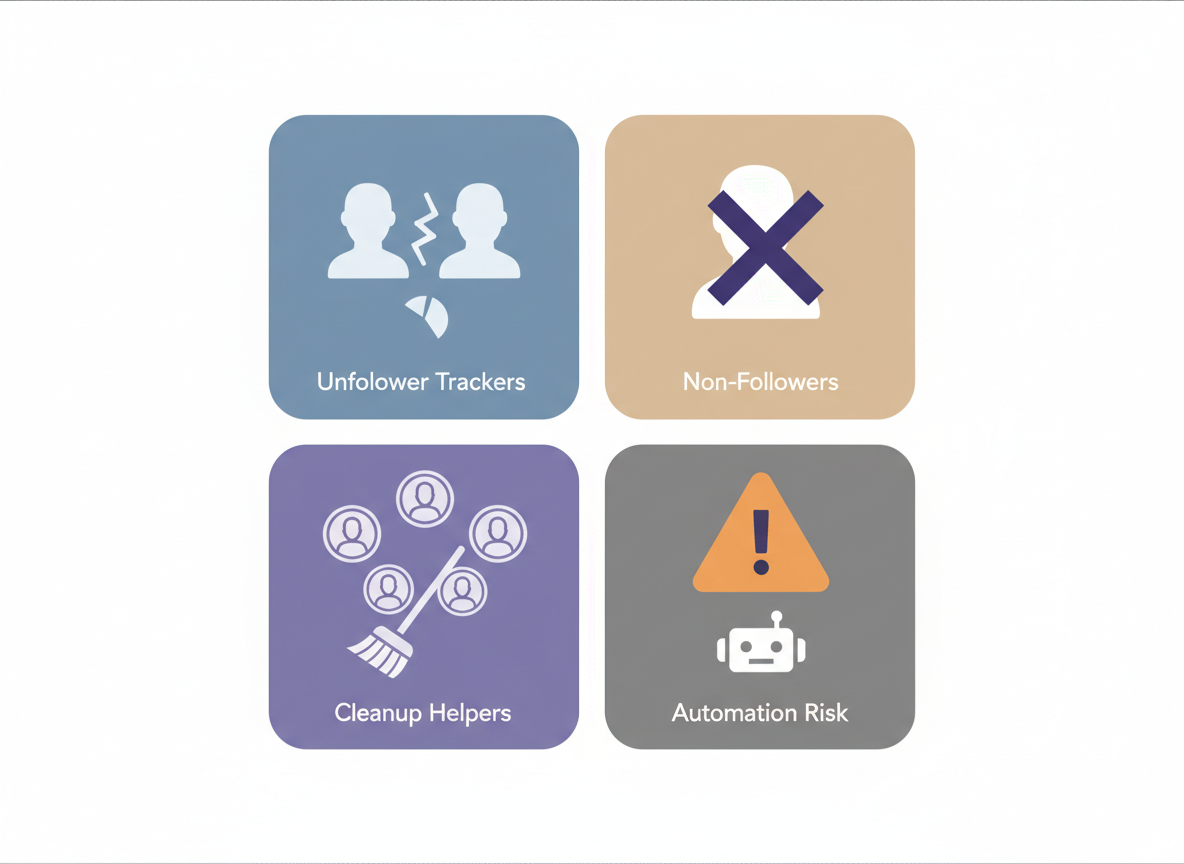
- Unfollower trackers (who unfollowed you since the last check)
- Non-follower finders (who don’t follow you back)
- Following cleanup helpers (identify accounts to unfollow: inactive, spammy, no engagement)
- Mass unfollow / auto unfollow tools (automation that actually performs unfollows for you)
That last category is the spicy one. And honestly, it’s where people get burned.
I’ve watched creators go from “I just wanted to unfollow 800 people quickly” to “why can’t I follow anyone for 7 days?” in one afternoon. Not fun.
How Instagram unfollow tools work in 2026 (the 3 real methods)
Instagram has tightened the screws a lot. The old-school “log into a third-party app and it shows everything instantly” approach still exists, but it’s also the riskiest.
Method 1: Official Instagram data export (safest for private + public)
This is the cleanest approach right now. Tools like FANS and DontFollowBack shifted to reading the data you request directly from Instagram (your “Download Your Information” file), then comparing your followers vs following.
The reason this works is simple: the tool isn’t logging into Instagram as you, spamming the API, or doing sketchy automation. You’re giving it a file that Instagram generated for you.
Downside? It’s not instant. That export can take hours, sometimes close to a day. I know, it’s annoying. But it’s safe.
Method 2: Password-free public data tracking (fast, but only public accounts)
Some tools check public follower/following lists without asking you to log in. They can be really fast for basic audits and daily “who changed?” tracking, as long as the account is public.
In my testing, this method is best when you want quick snapshots, and you don’t wanna deal with exports every time. But it’s limited by what Instagram exposes publicly.
Method 3: Login-based apps + automation (works until it doesn’t)
These are the “give us your Instagram username and password” apps, plus Chrome extensions that claim they can auto-unfollow hundreds per hour.
They sometimes work for a while. Then you hit an action block, a “suspicious login” challenge, or you start getting weird restrictions that are hard to diagnose. I’ve seen it happen even on smaller accounts, like 1k to 3k followers, which surprises people.
And if you manage client accounts, please don’t do this. One client lockout and you’ll never hear the end of it.
The safest “Instagram unfollow tool” options (and what I’d actually use)
There isn’t one perfect tool. It’s more like: pick the safest workflow for what you’re trying to do, then don’t get greedy with speed.
Option A: Data-export unfollow trackers (my default recommendation)
If your account is private, or you’re serious about safety, go data-export first. This is the direction the whole market is moving, and for good reason.
- Best for: non-followers, cleanup lists, private accounts, low-risk audits
- What it feels like: slower setup, then very clear results
- My real-world note: on accounts following 5,000+ people, the exported lists can be huge, and some apps take a minute to parse them. The first time I hit that, I thought the app froze. It didn’t. I just had zero patience.
One counterintuitive thing: the export approach often gives you cleaner results than “instant” login apps, because it’s based on the same lists Instagram shows you, not some half-broken API scraping.
Option B: Password-free public-account checkers (fast reality checks)
If your account is public, password-free tools are great for quick checks. You type a username, you get a snapshot, done.
This is also the least stressful way to help a friend or a brand account quickly, because you’re not asking them to hand over credentials. (I used to tolerate login tools years ago. I don’t anymore. I learned that lesson the hard way.)
- Best for: public accounts, quick unfollower checks, “did my follower count change?” sanity checks
- What it won’t do: it won’t magically reveal private-account details, and it can’t see what Instagram doesn’t show publicly
If you’re trying to decide whether this style fits your needs, you’ll like the breakdown in this unfollower app safety explainer because it calls out the exact risk line: password vs no password.
Option C: Manual unfollowing with “smart lists” (boring, but works)
Sometimes the best “tool” is just having a list of who to unfollow, then doing it manually in small chunks. Not exciting. But it keeps you out of trouble.
I’ve done this on creator accounts during “January reset” cleanup seasons, when everyone suddenly wants to unfollow inactive accounts and brands they forgot they followed. It’s also when you notice a spike in deleted or inactive profiles, which makes your following list look worse than it really is.
- Best for: staying under the radar, long-term account health
- Worst part: it takes actual time, and yeah, it’s tedious
If you want a practical cleanup flow (not just theory), this guide to cleaning up your following list is the kind of process I usually recommend to clients who keep getting action-blocked.
A quick “pick the right tool” cheat sheet
If you just want the short version, here’s what usually matches people’s goals.
- You want maximum safety (private or public): use an Instagram data export tool
- You want a fast answer (public account): use a password-free checker
- You want to unfollow 1,000 people today: don’t. Seriously. Pace it or you’ll get blocked
- You manage multiple accounts: avoid anything that stores logins, even if “everyone uses it”
And if you’re shopping around, I’d skim a comparison like these Instagram unfollow tracker app reviews so you can see the patterns across tools instead of falling for one flashy landing page.
Step-by-step: a safe unfollow workflow that won’t wreck your account
This is the routine I’ve used (and recommended) the most, because it balances speed and safety.
1) Decide what you’re actually cleaning up
Pick one goal for this session:
- Remove accounts that don’t follow you back
- Remove spam/inactive accounts
- Remove people you followed during old engagement pods (yep, we’ve all done things we regret)
When people try to do all three at once, they get sloppy and unfollow real fans. Then they panic and start re-following. That loop looks spammy to Instagram.
2) Generate your list (export or password-free snapshot)
If you’re private, do the “Download Your Information” route and import it into a tracker that supports it. If you’re public and just want quick results, use a password-free checker.
Heads up: results vary depending on timing. If you check right after a big reel goes viral, your “new followers” list can change fast, and it’s easy to misread what happened.
3) Mark your “do not unfollow” group
This sounds obvious, but people skip it. Create a mental or literal list:
- Friends/family, partners, key clients
- Brands you collaborate with
- Accounts you need for networking (photographers, venues, editors, etc.)
I once unfollowed a brand sponsor by accident during a cleanup sprint. I played it off like a “bug.” It was not a bug. So… learn from my stupidity.
4) Unfollow manually in batches (slow is fast)
This is where most people mess up. They unfollow too many accounts too quickly, Instagram detects abnormal behavior, and then you’re blocked from following/unfollowing for hours or days.
I can’t give you an exact “safe number” because Instagram’s limits aren’t published, and they change. But I will say this: if you start seeing “Try Again Later,” stop immediately and wait. Don’t keep hammering it.
5) Re-check in 24 to 72 hours
Unfollow tools are best when you compare snapshots over time. One check is a guess. Two checks is a pattern.
On bigger accounts, especially 50k+, I’ve noticed follower list changes can look delayed or “chunky.” You’ll check in the morning, nothing makes sense, then at night it suddenly matches. That’s Instagram being Instagram.
Failure modes: where unfollow tools get weird (and people blame the tool)
This stuff breaks in predictable ways, and it’s not always the app’s fault.
1) “I swear they unfollowed me, but the tool didn’t show it”
This falls apart when you don’t have a clean baseline. If you didn’t take a snapshot yesterday (or last week), the tool can’t always tell you exactly when the change happened, only that your current lists don’t match.
2) Private accounts and restricted visibility
Password-free trackers can’t see private-account follower lists. Period. If a tool claims it can, that’s usually your cue to back away slowly.
3) Instagram rate limits and action blocks
Even manual unfollowing can trigger blocks if you do it too fast. And once you’re blocked, tools that rely on live requests can look “broken,” when really Instagram is just refusing requests.
Limitations (the honest part)
- An instagram unfollow tool won’t tell you why someone unfollowed you. You can guess (content shift, too many ads, a controversial post), but you won’t get a reason attached to a name.
- Some tools can’t catch “drive-by” unfollows in real time. If someone follows and unfollows between your snapshots, you may never see them in the report.
- Automation is the biggest risk. Even if an auto-unfollow tool “works,” it can still create account health issues that show up later as reach drops or repeated action blocks.
If you want a quick gut-check before you try any new tracker, keep this tracker safety checklist handy. It’s basically the same rubric I use when someone asks me, “Is this app legit?”
Okay, but what about Chrome extensions that mass unfollow?
Yeah… people love these because they feel powerful. Click a button, watch numbers drop.
But here’s what nobody tells you: mass unfollowing is less about the tool and more about your behavior pattern. If you unfollow in a machine-like cadence, you look like a bot, even if you’re manually clicking.
Also, extensions tend to break whenever Instagram tweaks the web interface. I’ve tested a few where it worked on Monday, then by Friday, it started skipping every third profile and I had to manually clean up the mess. Brutal.
If you absolutely insist on using an extension, do it slowly, and don’t run it for an hour straight. And don’t use it on a client account you can’t afford to lose. That’s my line.
How UnfollowGram Follower Tracker Helps With Unfollow Tracking (without the sketchy login stuff)
UnfollowGram Follower Tracker exists for the “I just need a clear answer” crowd, especially when you’re dealing with public accounts, and you don’t want to hand your password to random apps. That’s why it’s password-free and quick, instead of pretending it can do everything under the sun.
In practice, I use it as a lightweight check when someone asks, “Did I actually lose followers, or am I imagining it?” You pop in the username, and you can spot changes without logging in. Simple. And if you’re auditing a public creator account before a campaign, it’s a nice way to get a fast read.
One honest caveat: it’s not designed to be an auto-unfollow tool. It won’t unfollow people for you, and it can’t pull private-account follower lists. If you want to go deeper on the “who unfollowed me” use case, this app overview for seeing who unfollowed you on Instagram explains where it fits best.
FAQ
What is the easiest way to mass unfollow on Instagram?
The easiest “safe” way is still manual unfollowing in small batches using a list from a tracker (non-followers, inactive, etc.); automation and high-speed mass unfollowing are what trigger action blocks most often.
What is the Instagram auto unfollow tool?
An Instagram auto-unfollow tool is an app or extension that unfollows accounts for you automatically, but in 2026, these are high-risk because Instagram aggressively flags automated behavior and login-based automation.
What’s the safest unfollow tracker for private Instagram accounts?
Tools that use Instagram’s official “Download Your Information” export are the safest option for private accounts because they don’t need your login and rely on data Instagram provides directly.
Why do unfollower trackers sometimes disagree with each other?
They’re often using different data sources (public snapshots vs exported files vs live requests), and timing matters; if you don’t compare the same time windows, the “who unfollowed” list can look inconsistent.
Will an unfollow tool get my Instagram account banned?
Password-free checkers and export-based tools are low-risk, while login-required apps and auto unfollow tools can lead to locks, action blocks, or bans depending on how aggressive they are and how fast you use them.
Conclusion
The best “Instagram unfollow tool” in 2026 is the one that doesn’t gamble with your account: export-based trackers for maximum safety, or password-free public-account tools for fast checks. Skip anything that needs your password and be extremely skeptical of auto-unfollow promises.
If you want a quick, password-free way to check public-account follower changes, this password-free Instagram unfollow checker is a solid option to keep in your toolkit. Then do the unfollows manually, slowly, and you’ll save yourself a lot of headaches.

Ethan is the founder of UnfollowGram with more than 12 years of experience in social media marketing. He focuses on understanding how Instagram really works, from follower behavior to engagement patterns, and shares those insights through UnfollowGram’s tools and articles.





