

Manual vs Automated Instagram Tracking
Last Updated on February 11, 2026 by Ethan
Manual vs automated Instagram tracking comes down to one thing: scale. If you’re checking followers, DMs, comments, and campaign results by hand, it “works” until your account (or your workload) grows… then it gets messy fast.
In 2026, if you’re dealing with a lot of volume, automated tracking usually wins, especially for DM workflows, because Instagram moves fast and people just can’t keep up. But manual tracking still makes sense in a bunch of cases, like smaller accounts, quick quality checks, or anything where you’ve got to use actual judgment, tone, context, and the whole relationship thing.
Below is the real breakdown of manual vs automated Instagram tracking: what each one actually means, where each one breaks, what Instagram flags as “automated activity,” and how to pick a setup that won’t get you locked out or shadow-annoyed.
TL-DR
Manual Instagram tracking is manageable for small accounts, but becomes chaotic as workloads increase. Automated tracking tends to be the better move for high-volume stuff like DM workflows, but you’ve got to be careful; Instagram doesn’t love sketchy automation. Look, stick with first-party tools when you can; they’re the cleanest and usually the safest. And then spot-check things manually so you don’t miss the weird, nuanced stuff.
What “manual” vs “automated” Instagram tracking actually means
Manual tracking (what people really do)
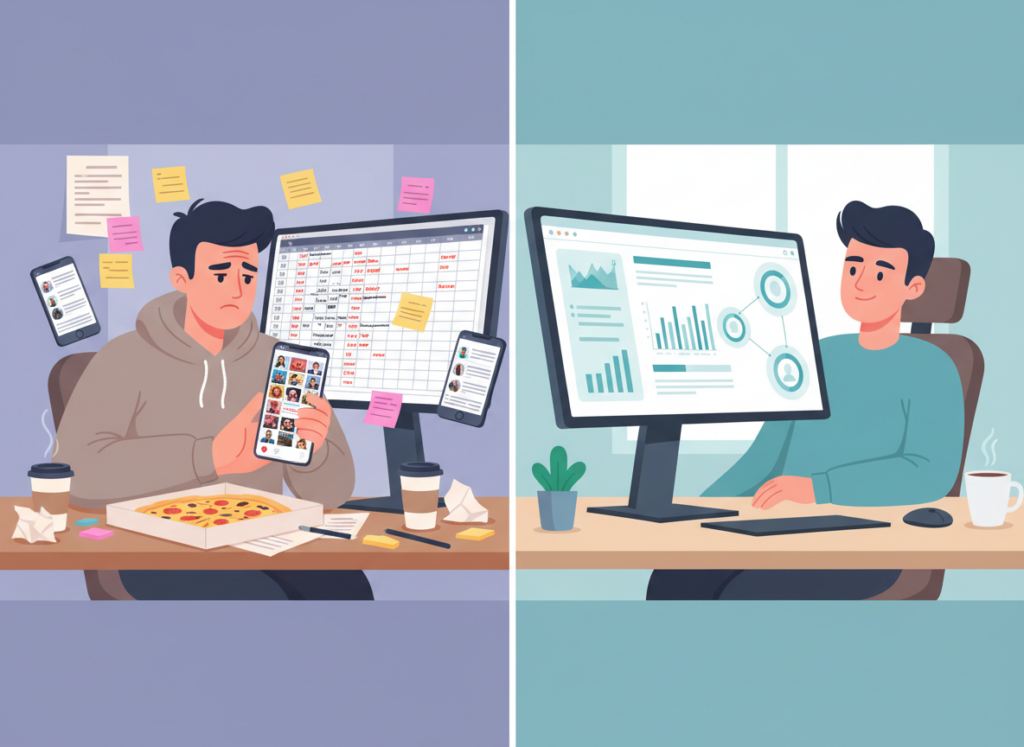
Manual tracking is anything you (or your team) do by hand to monitor performance or changes on Instagram. In real life, that usually looks like:
- Scrolling your follower list to see who’s gone (and then second-guessing yourself)
- Taking screenshots of follower counts and writing notes in Sheets
- Checking Instagram Insights, exporting what you can, and manually comparing weeks
- Opening DMs one-by-one, tagging leads mentally (yep), and trying not to forget who asked for what
I’ve done the spreadsheet thing. I’m not proud. It starts as “I’ll just track this for a week” and ends with a graveyard of tabs named “FINAL_v3_actuallyfinal.”
Automated tracking (the umbrella term people misuse)
Automation is when software does the monitoring, organizing, or responding for you. That can mean totally different risk levels depending on what’s being automated:
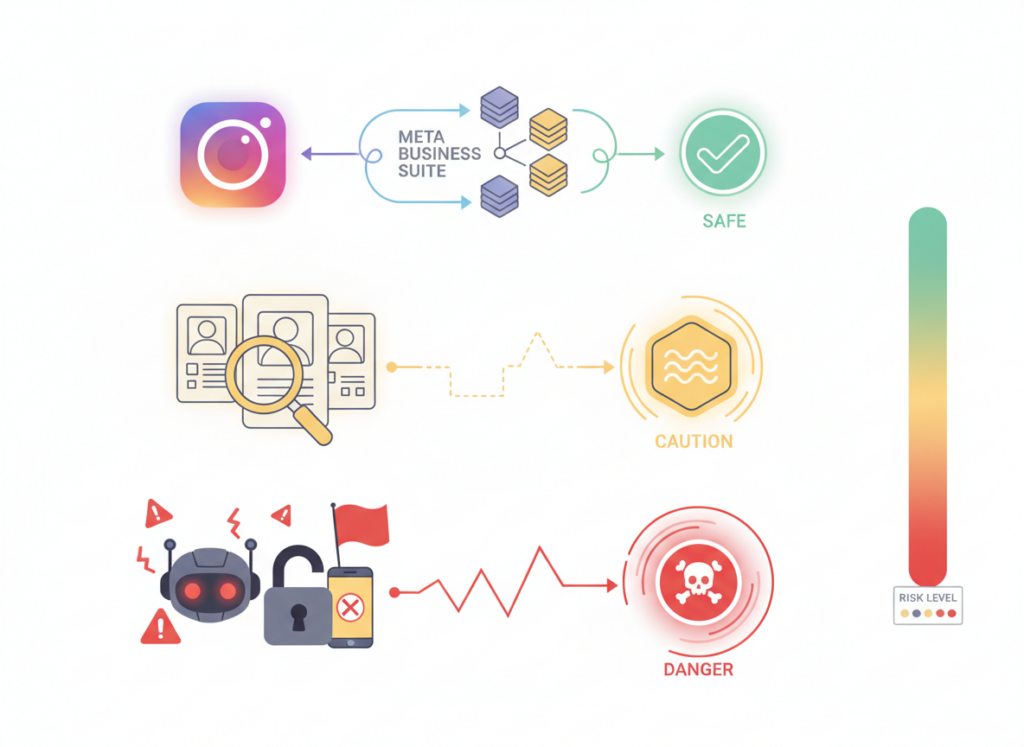
- Low-risk automation: passive tracking of public data (like follower/following lists on public accounts) and analytics aggregation
- Medium-risk automation: scheduling posts, pulling reports, routing DMs into a CRM
- High-risk automation: bots that mass-like, mass-follow/unfollow, spam comments, or hammer endpoints like a woodpecker
Here’s the counterintuitive part: the “automation” that gets people in trouble is usually the dumbest automation. Honestly, the stuff that helps most is usually the stuff you barely notice. It’s kind of boring. And it’s consistent.
How Instagram tracking works, in plain English.
These tools basically pull data in a few different ways, and the way they do it matters because it changes how accurate it is, how fast it updates, and whether Instagram starts giving you the side-eye.
1) First-party data, like Instagram Insights and Meta’s tools.
This is usually the safest lane to stay in. If you’re using Insights, Meta Business Suite, or Ads Manager, you’re inside the rules because it’s Instagram’s own data pipelines. The tradeoff is that you don’t get everything people want. Insights won’t hand you a neat “here are the 27 accounts that unfollowed you yesterday” list. That’s just not what it’s built for. If you’re deciding between native reporting and outside tools, this breakdown helps: Instagram Insights vs. third-party follower tools.
2) Public-data monitoring (passive, no-login tools)
This is where tools look at public profiles and compare snapshots over time. For public accounts, it’s basically “take a picture of the follower/following state now, then compare later.” That’s the core mechanism.
And yeah, I’ve tested these on everything from tiny creator accounts to bigger brand profiles. On accounts with tens of thousands of followers, the first scan usually takes longer, and you’ll see more “pending” behavior because the lists are simply bigger to process.
3) Active automation (actions that mimic a human)
This is the risky category: tools that log in, click buttons, send DMs, follow/unfollow, like, comment, scrape aggressively, or otherwise “act” inside Instagram. Some of it can be compliant if it’s done through approved integrations, but a lot of it isn’t.
If you’ve ever wondered why some apps feel fine, and others get people locked out, it’s usually because one is tracking and the other is acting.
Manual vs automated Instagram tracking: a practical comparison
Time cost (this is where manual loses fast)
Manual DM management is the best example because it’s brutal. If you’re spending around 2 hours a day handling DMs manually, you’re looking at roughly 730 hours a year. Put a $50/hr value on your time, and that’s $36,500 of effort.
Automation for parts of that workflow can be closer to a couple of hundred bucks a year, depending on what you use. It’s not even the same universe.
And the social side is real too: social commerce in the US hit $114.7B in 2025, and a huge chunk of product discovery happens on Instagram, which means DMs are basically a sales floor now. If you’re replying late, you’re losing people.
Speed and consistency (automation’s superpower)
I’ve watched creators reply “in a few mins!” and then… forget for 9 hours. It happens. We’re human.
Automation doesn’t get tired. It replies the same way at 2 pm and at 2 am. That matters because instant responses correlate with trust and conversions, and in practice, it’s the difference between “cool brand” and “they ghosted me.”
Accuracy (manual is oddly worse than people think)
You’d think manual tracking is more accurate because it’s you doing it. But actually, manual breaks in boring ways:
- You miss changes that happen between checks
- You forget to log a day and now your “trend” has holes
- You confuse two similar usernames (I’ve done this twice… painful)
Automated tracking is better at repetitive comparisons. Humans are better at interpretation.
Risk (automation can be safer, or way worse)
Automation isn’t automatically dangerous. The danger comes from how it’s implemented.
Passive tracking and first-party analytics are generally low drama. Tools that demand your Instagram password, run “growth” follow/unfollow loops, or promise “guaranteed reach” are the ones I see blow up accounts.
If you want the anatomy of why some trackers feel flaky or inconsistent, this is worth reading: why some unfollower apps are unreliable.
The 2026 reality: what’s changed (and why it changes the tracking debate)
Instagram in 2026 is more DM-driven than most people want to admit. Mosseri has talked about shares and DMs as major ranking signals, and it tracks with what I see: posts that get sent around in DMs keep breathing longer.
Also, Reels still pull reach. Carousels can perform, sure, but Reels are usually the top-of-funnel play, then DMs do the bottom-of-funnel work (comment-to-DM, keyword replies, link delivery, lead capture).
Instagram also rolled out expanded algorithm-control options more broadly, but most users still consume what the feed serves them. If you want the quick context on that rollout, Social Media Today covered it here: Instagram’s algorithm control option expansion.
Where manual tracking still wins (yes, really)
Manual tracking isn’t dead. It’s just not a full-time job anymore.
1) Brand voice and relationship nuance
A human can tell when a DM needs a real answer vs a canned one. Automation can guess, but it’s not you. If your brand is personal, this matters.
2) Spot-checking data quality
I still do manual spot checks even with automation. Not because I don’t trust the tools, but because Instagram data can be weird: temporary privacy toggles, deactivated accounts, and username changes can make a list look “off” for a day.
3) Early-stage accounts
If you’ve got 300 followers and you post twice a month, fully automated tracking can be overkill. Keep it simple. You’ll feel the pain later when you scale.
Failure mode (manual): it collapses at scale
This is where it gets ugly: once you’re getting meaningful inbound DMs and comments, manual tracking turns into triage. Stuff slips. Leads go cold. You start replying from the notification tray and accidentally send half a sentence. Ask me how I know.
Where automated tracking wins (and what to automate first)
1) DMs and comment-to-DM flows
This is the big one. Automated systems can respond instantly, route based on keywords, and track who clicked what. It’s not magic, it’s just consistent.
If you want a detailed breakdown of this specific manual vs automated DM debate, CreatorFlow has a solid overview here: manual vs automated Instagram DMs.
2) Trend tracking (weekly and monthly)
Most people track too often and still learn nothing. Daily checks make you emotional. Weekly and monthly trends make you smarter.
If you’re trying to choose a cadence that doesn’t drive you nuts, this approach is the one I recommend to clients: weekly vs monthly follower tracking.
3) Lead capture and first-party data
Cookies are fading. DMs are where you can collect first-party info (email, preferences, intent) in a way that actually feels natural to the user.
And yes, it can be done in a compliant way. I was skeptical the first time I saw a “GDPR-safe” DM capture flow, because most marketers slap compliance language on anything. But when it’s done with explicit consent and clean storage, it’s legit.
4) Volume analytics without vanity metrics
Automation helps you stop obsessing over impressions and start looking at:
- DM conversion rate (how many conversations become leads or sales)
- Lead velocity (how fast new leads come in per post/campaign)
- Shareability (how often content gets sent via DMs)
Failure mode (automation): “set it and forget it” kills performance
Where automated tracking falls apart is when people treat it like a replacement for thinking. You can absolutely automate the grunt work, but if you never review what’s being sent, you end up with robotic replies that quietly torch your brand.
I’ve seen creators lose warm leads because an auto-reply sounded cold. Not offensive. Just… dead. And the user never replied again. Ouch.
What Instagram means by “automated activity” (and why it gets detected)
Instagram is watching for behavior patterns that don’t look human: speed, repetition, weird click paths, and too many actions in a tight window. It’s not personal. It’s platform hygiene.
Common triggers I’ve seen in the real world
- Too many logins from different IPs/devices in a short time (team access can accidentally do this)
- Rapid-fire follows/unfollows or bulk likes
- Copy-paste comments across lots of posts
- Tools that scrape aggressively and cause repeated requests (you’ll sometimes feel this as “Please wait a few minutes”)
Honestly, the easiest way to stay out of trouble is avoiding tools that require your password and run actions on your behalf.
If you want the mechanics of how detection tends to work, this explainer is good: how Instagram trackers get detected.
Okay, so what should you choose? (A simple decision framework)
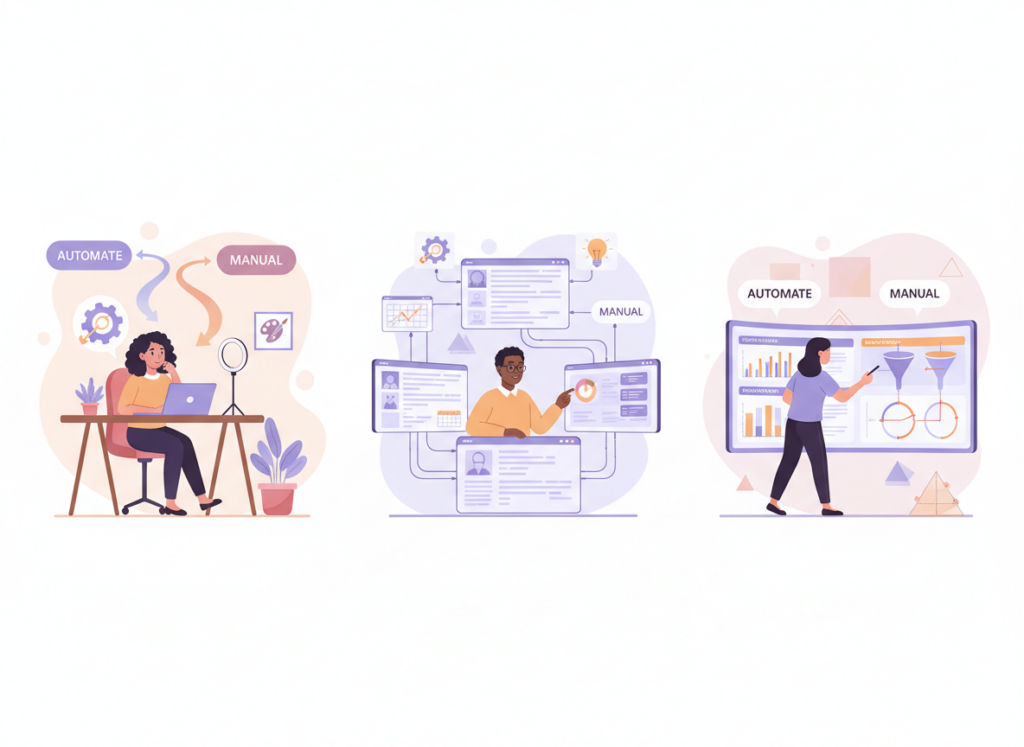
Instead of “manual vs automated Instagram tracking” like it’s a binary choice, think of it like a split: automate what’s repetitive and time-sensitive, keep manual where human judgment matters.
If you’re a creator (solo)
- Automate: reporting, follower change snapshots, basic DM triage
- Keep manual: collab negotiations, sensitive DMs, brand voice edits
On smaller creator accounts, the “who unfollowed me” list tends to change in clumps after you post something polarizing or do a giveaway. People follow, then purge. If you only check monthly, you’ll miss the story and just see a flat line.
If you’re a social media manager (multiple accounts)
- Automate: cross-account reporting, alerts for spikes/drops, DM routing
- Keep manual: audit weeks, creative learnings, content feedback loops
Another lived detail: once you’re juggling 5+ accounts, manual tracking dies because each account has a different “normal.” Automation is less about speed and more about not mixing up baselines. I’ve seen people panic over a “drop” that was just a normal post-cycle dip for that niche.
If you’re running paid + organic
- Automate: attribution notes, DM keyword capture, lead tagging
- Keep manual: reviewing creative performance and message-market fit
If you’re building ads that push people into DMs, Straight North has a good angle on turning attention into conversions here: Instagram advertising strategies for conversions.
Limitations and honest caveats (stuff people gloss over)
Automation won’t fix a weak offer. If your DM funnel is answering “what’s the price?” but your pricing page is confusing, your conversion rate still stinks.
Manual tracking won’t tell you causality. You can notice “followers dropped,” but you can’t prove why without controlled tests and context (content changes, posting time, collaborations, even a random news cycle).
Public-data tracking has a hard boundary: it doesn’t work the same way for private accounts you can’t see. If an account is private and you’re not an approved follower, any tool claiming full visibility is either guessing or doing something sketchy.
And one more: your results will vary depending on when you check. Instagram updates follower/following lists in ways that sometimes lag, especially during high-traffic periods. I’ve seen the same account show slightly different counts across devices for short windows. It usually settles, but it can make day-to-day manual logs look “wrong.”
How UnfollowGram Follower Tracker fits into manual vs automated tracking
Unfollowers and non-followers are where most people start tracking manually, because it’s the easiest thing to obsess over. You notice your count dipped, you open your list, and then you’re stuck playing detective for 40 minutes. Been there.
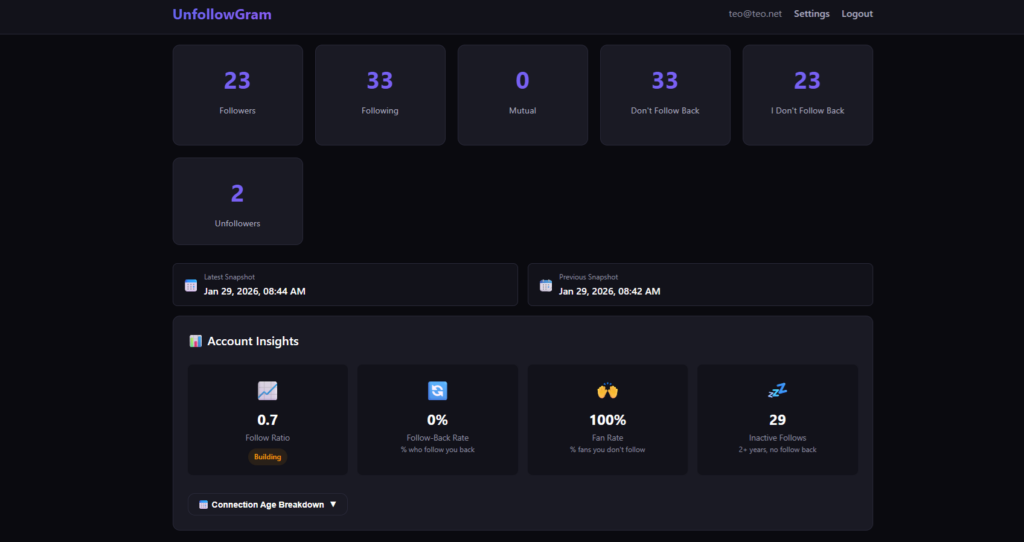
That’s why tools like a no-password unfollower tracker for public Instagram accounts are useful in the bigger “manual vs automated Instagram tracking” picture: they automate the repetitive comparison (who’s in, who’s out, who doesn’t follow back) without you handing over your login.
One thing I like in practice: because it’s focused on public-account tracking and doesn’t ask for your password, it avoids the sketchiest failure mode I see with follower tools, which is people giving credentials to random apps and then wondering why their account starts doing weird stuff. Still, you’ve gotta be smart about any tracker you use, so I point people to this before they touch anything: Instagram tracker safety checklist.
What it won’t do (and this is a good boundary): it’s not trying to be a full DM automation suite or a post scheduler. It’s for follower-state changes and relationship cleanup, not running your whole Instagram operation. Different job.
FAQ
What does it mean when Instagram detects automated activity?
It means Instagram’s systems think your account (or a connected tool) is performing actions in a bot-like way, such as repetitive, rapid likes/follows, scripted comments, or abnormal request patterns that don’t match typical human use.
Is Instagram automation worth it?
It’s worth it when you automate repetitive, time-sensitive work like DM triage and reporting, but it’s not worth it for spammy “growth hacks” that can get your account restricted.
What are the risks of Instagram automation?
The risks include action blocks, temporary restrictions, reduced trust signals, and in worst cases, losing account access, especially if a tool logs in for you or runs mass actions like follow/unfollow.
What does automated mean on Instagram?
“Automated” usually refers to software doing tasks without manual input, ranging from scheduling and analytics tracking to auto-replies and bot-like engagement actions.
Can you track unfollowers manually without tools?
You can, but it’s slow and error-prone because you’re relying on memory and manual comparisons; it also doesn’t capture changes that happen between your check-ins.
Will automation hurt my reach?
Automation that spams actions or triggers restrictions can hurt performance indirectly, but passive tracking and compliant workflows typically don’t impact reach by themselves.
Conclusion
Manual vs automated Instagram tracking isn’t a moral debate. It’s an efficiency and risk debate. Automate the repetitive stuff (especially DM workflows and consistent reporting), keep manual checks for quality, context, and anything that needs a human brain.
If follower changes and non-followers are the thing you keep trying to track “by vibes,” it’s usually a sign you should stop doing it manually and use a safer tracking approach instead. And if you want a simple way to keep tabs on who unfollowed you and who isn’t following back without handing over your password, UnfollowGram Follower Tracker is a solid option.

Ethan is the founder of UnfollowGram with more than 12 years of experience in social media marketing. He focuses on understanding how Instagram really works, from follower behavior to engagement patterns, and shares those insights through UnfollowGram’s tools and articles.





