

Privacy Friendly Instagram Analytics Explained
Last Updated on January 26, 2026 by Ethan
Privacy friendly Instagram analytics is just getting the numbers you actually need, growth, engagement, all that, without giving up your password, digging into private stuff, or letting some random app sit on your audience data forever.
In 2026, “privacy-friendly” isn’t just a cute label people slap on a landing page. It’s a set of constraints: limited data access (thanks, API changes), tighter permissions, clear retention rules, and security basics like modern encryption and real deletion.
I’ve tried a lot of Instagram analytics tools over the years, on creator accounts, brand accounts, and a couple of boring test accounts I keep around because, honestly, I like seeing what breaks first. Here’s the thing, I’ll walk you through how privacy friendly Instagram analytics works these days, what you can and can’t really measure anymore, and what to look for so you don’t accidentally put your account, or your followers, in a weird spot.
TL;DR: Privacy-friendly Instagram analytics provide essential growth and engagement insights without compromising your account security. In 2026, most tools are stuck working with limited, permission-based access and whatever retention rules they spell out, so yeah, it’s usually less creepy, but you might not get every tiny detail either. Pick tools that take privacy seriously and follow basic modern security stuff, not just the marketing talk.
What “privacy friendly Instagram analytics” really means (not the marketing version)
Most apps call themselves “safe” because they don’t get caught. But that’s a totally different thing.
When I say privacy friendly Instagram analytics, I’m looking for a few non-negotiables:
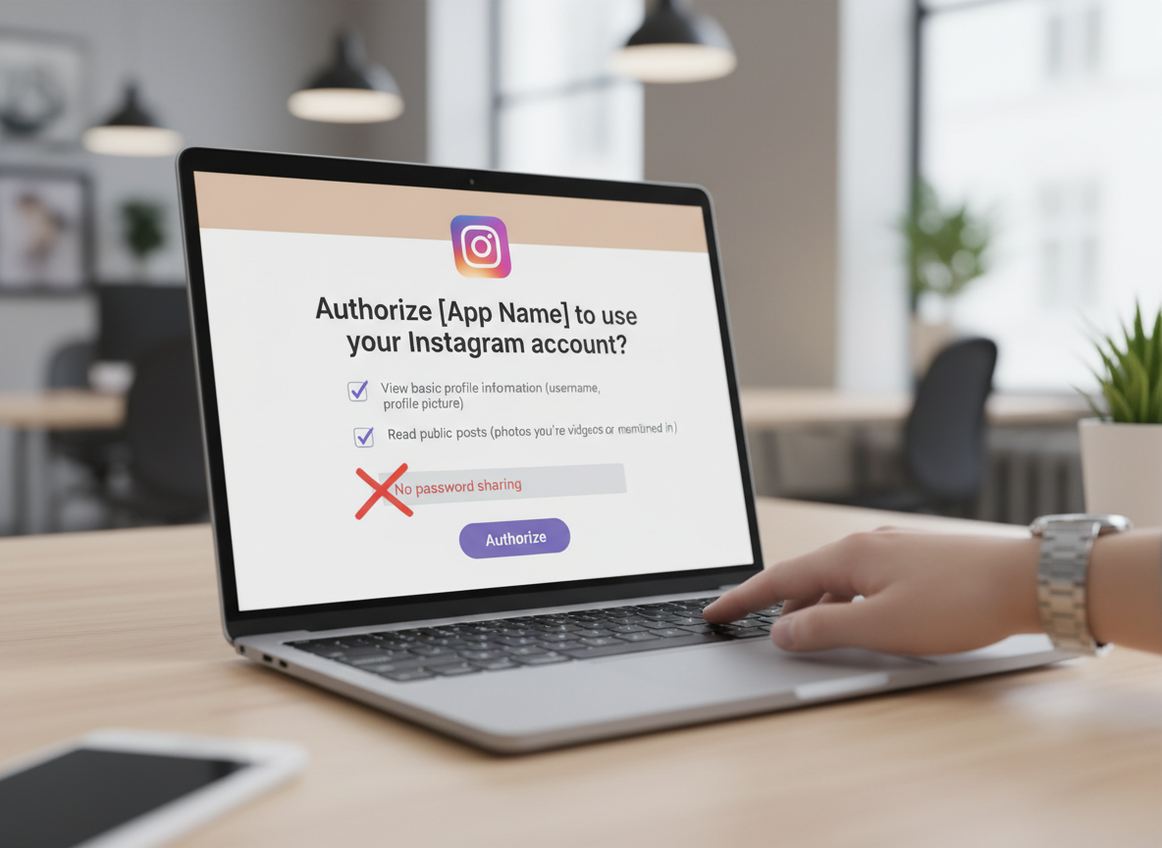
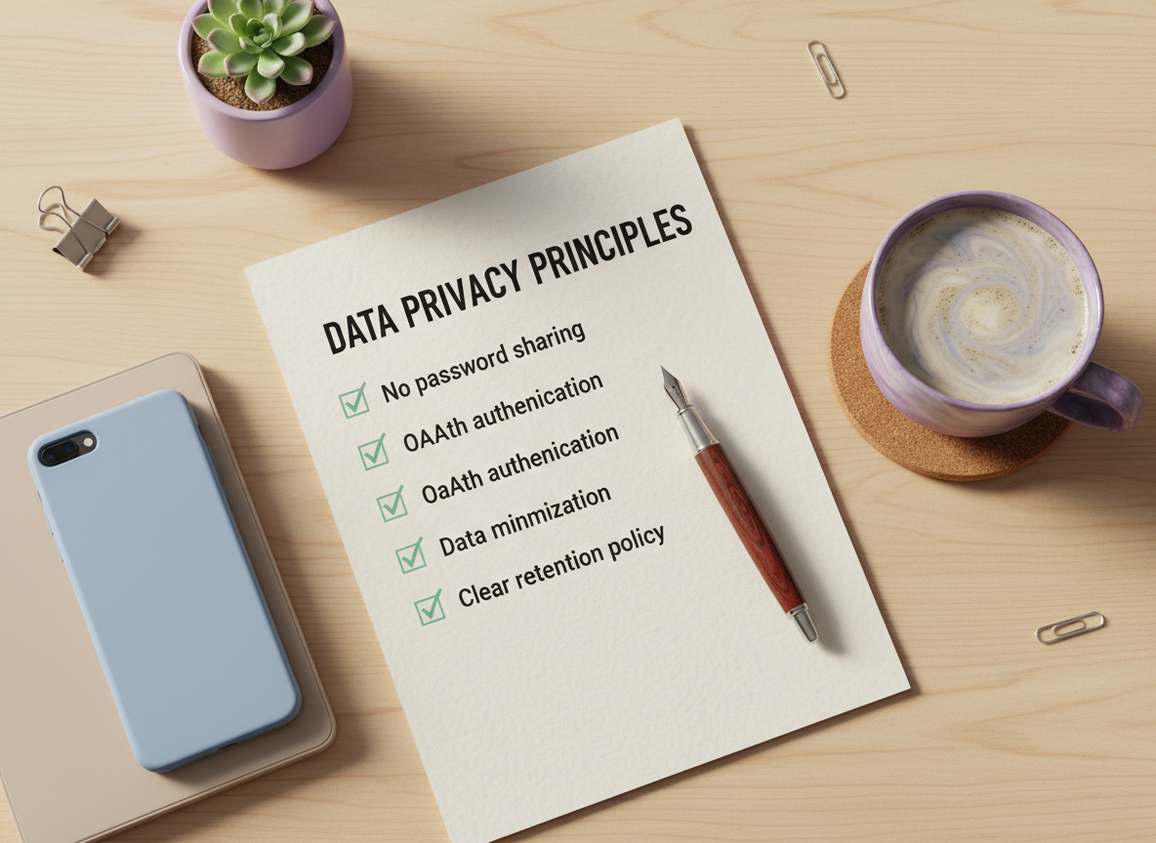
- No password sharing. If a tool asks for your Instagram password, it’s done. Closed tab. Doesn’t matter how pretty the dashboard is.
- Legit authentication. OAuth (Instagram/Meta’s permission screen) or Meta Business Suite-connected access where it makes sense.
- Data minimization. The tool should only pull what it needs for the feature you’re using, not vacuum your whole account history “just in case.”
- Clear retention + deletion. You should be able to tell how long they store data and how to delete it without emailing three times.
- Security basics. Encryption in transit and at rest, and ideally real compliance signals if they’re handling anything sensitive at scale.
Here’s the part people miss: Meta shutting down or limiting a bunch of API endpoints in 2025 and 2026 made many older tools worse at “deep analytics”… but it also reduced how invasive third-party tracking could be. Annoying for growth hackers. Great for privacy.
How Instagram analytics access works in 2026 (and why so many tools got “worse”)
Instagram data isn’t one big unlocked door. It’s more like a set of hallways with badges, cameras, and rules that change constantly.
How It Works (simple version)
Privacy friendly Instagram analytics tools generally work in one of these ways:
- Official, permission-based access (OAuth): You approve specific permissions, and the tool can read certain metrics through approved channels.
- Meta Business Suite / professional account metrics: For creators and businesses, Instagram’s own insights can be accessed and summarized in a safer, more “sanctioned” way.
- Public-data analysis: For public accounts, tools can read what’s already visible (followers/following lists where available, public posts, public engagement counts). This can still be useful, and it avoids password-based logins entirely.
The reason so many tools now feel “less detailed” is simple: the data they used to scrape or pull is no longer available at that level, or it’s gated behind permissions that privacy-first tools won’t overreach for. That’s a good trade, honestly.
Counterintuitive truth: less data can make you a better creator
You’d think more analytics always equals better decisions. In practice, the creators I work with who obsess over minute-by-minute micro-metrics usually end up posting worse content because they chase noise.
When you’re limited to cleaner, higher-level signals (reach, saves, shares, follower change over time), you stop spiraling and you start iterating. It’s not as “fun” as stalking every fluctuation, but it works.
What you can measure without being creepy (and what you can’t)
Privacy friendly Instagram analytics is still plenty useful. You just have to know what category a metric falls into.
Usually safe + realistic to track
- Follower changes over time: net growth, spikes after a Reel, slow bleed after a controversial post (yep, I’ve seen it).
- Public engagement signals: likes, comments, views on public posts and Reels (depending on what’s publicly visible).
- Audience hygiene: mutuals vs non-followers, basic cleanup lists, and trend lines.
- Posting cadence vs performance: “When I post 4 times a week, reach rises” kinds of patterns.
Where privacy-friendly tools hit a wall
- Deep personal viewer data: who viewed what, detailed per-user behavior, and anything that feels like stalking. If a tool claims it has this, be skeptical.
- Accurate private-account analytics for accounts you don’t own: if it’s private and not yours, privacy-friendly tools should not be able to “analyze it.”
- Perfect real-time accuracy: API limits and caching mean you’ll sometimes see delays, especially on large accounts.
One lived-detail thing I’ve noticed: on accounts over roughly 50k followers, “fresh” follower-change numbers often lag a bit in third-party dashboards, even legit ones. It’s not always the tool. Sometimes Instagram just hasn’t made the latest snapshot available yet.
What to look for in a privacy-first analytics tool (my real checklist)
I’m picky because I’ve watched creators lose accounts, lose trust, or just get spooked after using a sketchy tracker. It’s not worth it.
If you want a quick “don’t mess this up” reference, this Instagram follower tracker safety checklist covers the core red flags and what “safe” actually looks like in plain language.
Authentication: OAuth or nothing
If a tool does anything involving your account and it’s not using Instagram’s OAuth permission screen, pause.
And yes, I know some apps still “work” when they ask for a password. I’ve done the dumb thing years ago on a throwaway account just to test it. It worked… until it didn’t. That’s the story.
Permissions: fewer is better
Blanket permissions are a quiet privacy killer. The tool might not misuse them, but you’re still increasing risk for basically no benefit.
I like tools that make it obvious what they need and why. “We need X to show Y.” Simple.
Retention and deletion: real policies, not vibes
Vague privacy policies usually mean vague internal practices. And vague internal practices mean someone is eventually going to mess up.
Look for:
- Where data is stored (region matters for GDPR-style obligations)
- How long they keep it
- How deletion works (self-serve beats “email support and hope”)
Security baseline: encryption and compliance signals
AES-256 encryption has become the table stakes for stored data. It’s not a magic shield, but if a company can’t even state what they use, that’s… not great.
And yeah, I’m at the point where I’m hesitant to recommend a tool at scale unless it has real compliance posture (SOC 2, GDPR alignment) or at least transparent security documentation. I won’t pretend every small tool can do all of it, but the serious ones are moving that direction fast.
Common mistakes I see creators make (I’ve been guilty of some of these)
This is the part where people get burned, usually for reasons that feel “small” in the moment.
- Handing over the password: It’s the classic mistake. You’re tired, you just want to see who unfollowed, and the app promises “instant results.” Don’t.
- Using outdated trackers that quietly became inaccurate: API changes broke a lot of tools, but many never updated their claims. So you get random gaps and phantom unfollowers. Confusing. And it makes you paranoid.
- Checking too often and panicking: I’ve watched creators check every hour and spiral. Daily is enough for most people. Seriously.
- Granting broad permissions for one tiny feature: If you only need follower deltas, don’t approve access that looks like it can read everything under the sun.
Lived-detail: if you check follower changes right after a Reel pops off, you’ll often see a weird “jump then correction” effect within 12 to 24 hours. That’s normal. Instagram’s counts and lists don’t always update in the same instant, and some tools display one before the other catches up.
Failure modes: where privacy-friendly analytics gets weird
Even good tools can look “wrong” in specific situations. Two common ones:
1) Count mismatch (followers number vs actual list)
This falls apart when Instagram shows an updated follower count but the follower list hasn’t synced yet (or vice versa). On mid-size accounts, it usually resolves by the next day. On larger accounts, I’ve seen it take longer, and people assume the tool is lying. Sometimes it is. Often it’s timing.
2) Private-to-public flips and sudden “missing” history
If an account switches between private and public, a privacy-friendly, public-data-based tool may show gaps. That’s not the tool being lazy. It literally wasn’t allowed to see the data while the account was private.
If you want the full “should I trust these apps at all” conversation, this breakdown on whether Instagram unfollower apps are safe covers the trade-offs clearly.
Privacy-friendly alternatives when you need deeper reporting
Sometimes you do need more than public signals. Like if you’re reporting to a brand, or you’re managing multiple client accounts, or you just want clean charts without drama.
Option A: Stick with Instagram’s own insights (and export when needed)
Instagram’s native Insights and Meta Business Suite are still the safest route for performance analytics because you’re staying inside the ecosystem.
It’s also a good “control group.” When a third-party tool looks off, I compare it to native Insights first. (I’ve saved myself a lot of unnecessary stress doing that.)
If you’re trying to pull your own records, this walkthrough on how to use Instagram Data Export is the cleanest way to get certain account-level history without giving access to a third party.
Option B: Choose established analytics suites for pro workflows
If you’re in a social team, or you’re doing competitor benchmarking and need dashboards, some of the bigger platforms can be a reasonable choice because they’re forced to act like grown-ups about security.
When I want to sanity-check which tools are being used in 2026 (and what they’re good at), I skim lists like Sprout Social’s overview of Instagram analytics tools or this 2026 Instagram analytics tools and competitor analysis guide. Not because lists are perfect, but because you can quickly spot which products are still alive, updated, and taken seriously.
Still, “big” doesn’t automatically mean “privacy friendly.” Read the permissions. Read the policy. Always.
Option C: Use public-account analytics for lightweight tracking
If your main goal is follower movement and relationship status (mutuals vs non-followers), public-data-based tools can be the least invasive option because there’s no login involved at all.
And yeah, they’re not going to tell you everything. But they’re often enough for daily maintenance.
Instagram Insights vs third-party tools (the practical way to decide)
People turn this into a moral debate. I don’t. I treat it like a risk decision.
- Use native Insights for content performance, reach, saves, shares, and anything tied to your actual publishing strategy.
- Use privacy-friendly third-party tools for convenience: reporting views, quick comparisons, follower relationship checks, and trend snapshots.
If you want a direct, side-by-side mindset for this decision, this article on Instagram Insights vs third-party analytics lays out the real pros and cons without pretending one choice fits everyone.
How UnfollowGram Follower Tracker fits privacy friendly Instagram analytics
UnfollowGram exists for a very specific reason: people want follower tracking (unfollowers, non-followers, new followers) without the “hand over your password and pray” part.
That’s why this privacy-first Instagram unfollower tracking approach is built around not asking for your Instagram login at all. In day-to-day use, it’s the difference between “I can check this quickly and move on” and “I just gave a third party the keys to my account.” Big difference.
Personal observation from running tests: on smaller public accounts, results usually show up almost instantly. On bigger public accounts, the first lookup can take longer, and if you run it back-to-back you may see the same snapshot until Instagram’s public lists refresh. That’s normal behavior for public-data tracking, not a glitch you should freak out about.
What it does well is the “who changed” layer. What it won’t do is replace deep performance analytics like reach breakdowns or story retention. And that’s fine. Different job.
If you’re trying to get follower analytics without turning your account into a security experiment, you’ll also like this deeper explanation: get Instagram analytics without security risks.
Limitations (the honest stuff)
Privacy friendly Instagram analytics has constraints, and pretending otherwise is how people get tricked.
- This won’t magically reveal private-account data you don’t have permission to see. If a tool claims it can analyze someone else’s private profile, that’s a red flag, full stop.
- You won’t always get second-by-second accuracy. Some metrics update in batches, and public lists can lag behind counts. Your mileage may vary depending on account size and Instagram’s current update cycle.
- Some “advanced” metrics require being a professional account. If you stay personal and private, you’re choosing less data by design.
I’ll admit it: I used to chase perfect precision in follower analytics. It made me nuts. These days, I care more about consistent snapshots over time than “the exact second someone unfollowed.” That obsession rarely helps you grow.
FAQ
What is the best analytics tool for Instagram?
The best tool depends on what you mean by “analytics”: for content performance, Instagram Insights (and Meta Business Suite) is usually the safest and most accurate; for privacy-friendly follower change tracking, use a tool that doesn’t require your password and minimizes data access.
How to analyze a private Instagram account?
You can only analyze a private Instagram account if you own it or have authorized access; otherwise, privacy-friendly tools shouldn’t be able to see anything beyond what’s publicly available.
Can I see my Instagram insights if my account is private?
Yes, you can keep your account private and still view your own Insights if you switch to a professional (creator or business) account; Insights are tied to account type, not public visibility.
Do privacy-friendly analytics tools track story viewers or profile visitors?
No reliable, privacy-friendly tool can accurately show “who viewed your profile,” and story viewers are only available inside Instagram for your own stories.
Will checking unfollowers too often hurt my account?
Checking in moderation is usually fine, but aggressive, repetitive refresh behavior (especially with login-based tools) is where people run into rate limits and security flags.
Conclusion
Privacy friendly Instagram analytics in 2026 is basically a trade: less invasive access, fewer sketchy “secret” metrics, and more emphasis on clean signals you can actually act on.
Pick tools that don’t touch your password, don’t overreach on permissions, and are transparent about retention and security. If your main goal is follower movement and relationship tracking without account-risk drama, UnfollowGram Follower Tracker is a solid fit for that specific job.

Ethan is the founder of UnfollowGram with more than 12 years of experience in social media marketing. He focuses on understanding how Instagram really works, from follower behavior to engagement patterns, and shares those insights through UnfollowGram’s tools and articles.





