

Can You See Your Recent Unfollowers
Last Updated on February 17, 2026 by Ethan
You can’t directly see recent unfollowers on Instagram inside the app. Instagram doesn’t have a “who unfollowed me” list, and it never really has. I’ve seen people dig through settings for years hoping it exists.
But you can figure out your recent unfollowers by comparing follower “snapshots” over time, or by using a tracker that checks public follower data without asking for your Instagram password.
Here’s what tends to work in 2026 if you’re trying to spot recent unfollowers, what usually doesn’t, and how to do it without getting your account locked or spiraling over normal follower ups and downs.
TL;DR: You can’t see recent unfollowers directly on Instagram, as the app doesn’t provide this feature. If you really want to track it, you can use tools that compare follower lists over time using public data, and in most cases they won’t need your password. And one heads up, if you check too often, the numbers can get a little weird. Instagram rate-limits this stuff, so results aren’t always perfectly clean.
So can you see recent unfollowers inside Instagram itself?
No. Nope, Instagram doesn’t tell you who unfollowed you, when it happened, or give you any kind of “recent unfollowers” list. Even professional accounts with Insights don’t get that level of person-by-person follower change.
Instagram’s analytics are built around content performance (reach, impressions, saves, shares) and audience summary trends, not “here’s the person who just left.” And honestly… I get why. If Instagram exposed unfollow events, it would turn into a harassment and spam party fast.
If you’ve ever wondered why follower-tracking tools exist at all, it’s basically because Instagram leaves this gap on purpose.
How people actually “see recent unfollowers” in 2026 (the real mechanism)
Here’s the part most articles gloss over: no tool has magical access to private Instagram unfollow logs. What reliable tools do is simpler.
How it works (snapshot comparison)
A tracker records a list of followers at Time A, then records it again at Time B, and shows you the difference. If someone was on the list yesterday but not today, they’re a recent unfollower. That’s it.
This is also why timing matters so much. If you only check once every two weeks, you’ll still find unfollowers, but you won’t know exactly which day they left.
Counterintuitive truth: checking more often can make you less accurate
You’d think checking every hour is “more precise.” But actually, super-frequent checks can create messy data because Instagram rate limits public lookups and sometimes returns partial lists when a tool asks too much too fast.
I’ve seen this on bigger accounts especially: the tool pulls a list, misses a chunk, and suddenly it looks like 200 people unfollowed in 10 minutes. They didn’t. The fetch was incomplete. Annoying, right?
3 ways to see recent unfollowers on Instagram (ranked by sanity)
1) Use a public-data tracker (no password) and check daily
If you want the closest thing to “recent unfollowers,” you want a tool that doesn’t require your Instagram login and works off public account data.
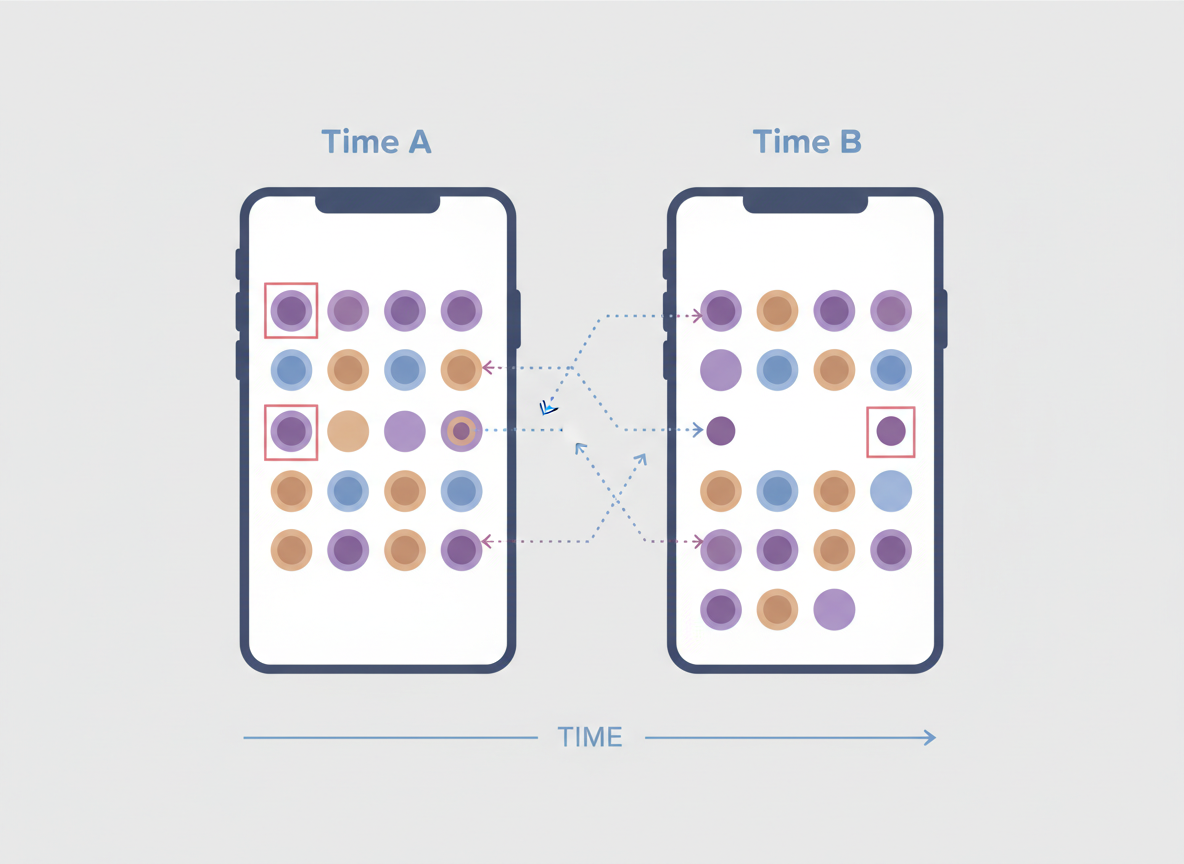
For example, trackers in the space (like the approach described in this announcement about a public-data unfollowers tracker) are essentially doing snapshot comparisons. That’s the safest model: no credentials, no sketchy session cookies, no “connect your Instagram.”
Lived detail from using these for years: on small accounts (under ~2,000 followers), results usually show up fast and clean. On larger accounts (10k, 50k, 100k+), it can take longer to pull a full list, and if the tool is cheap or overloaded, that’s where you’ll see missing data or delays.
If you’re trying to see recent unfollowers Instagram style, daily checks are the sweet spot. Twice a day is fine too. Every hour is when things start getting weird.
If you specifically want a browser-based option, I’d also point you to this cluster page on how to see unfollowers without installing an app. That method tends to be lower drama.
2) Manual check (works, but only if you already suspect someone)
This is the old-school approach: you type a username into your Followers list search. If they don’t show up, they’re not following you.
It’s fine for one or two people. It’s horrible for “who unfollowed me yesterday?” because you don’t have yesterday’s list in your head (unless you’re a robot… or spiraling a bit).
Also, I’ve been there: I used to do this after posting something slightly controversial. I’d search 10 names, feel paranoid, then realize I was basically self-sabotaging my mood. So yeah. Manual checks are a tool, not a lifestyle.
3) Export-and-compare (accurate, but not “recent” unless you do it often)
You can periodically export follower/following data and compare files over time using a diff tool. Some sites lean into this “upload your ZIP” workflow because it avoids logging into Instagram via a third party.
It’s legit, but it’s not instant. The export can take time, and it’s only “recent” relative to the last export you saved. If you export monthly, you’ll get monthly churn, not recent unfollowers.
What to avoid (this is where people get burned)
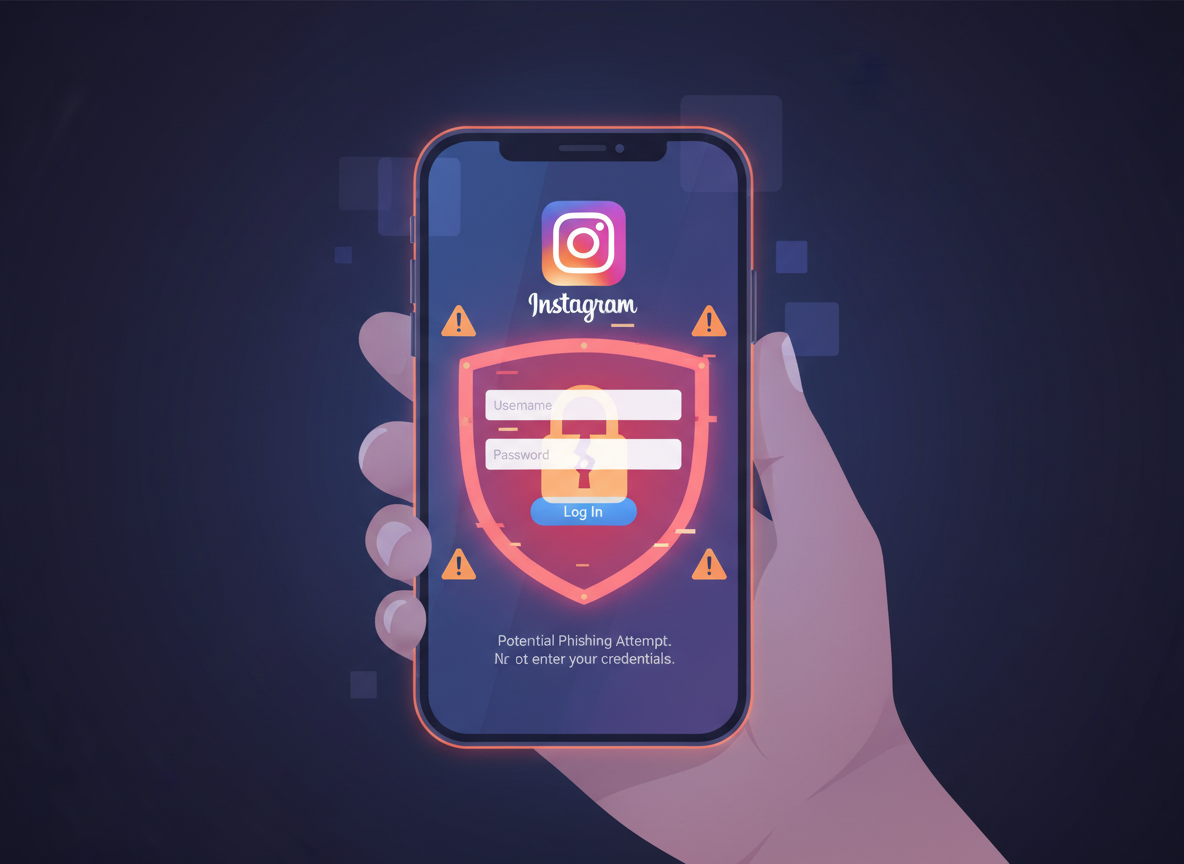
Look, a lot of follower apps are basically bait: “See who unfollowed you!” and then they ask for your Instagram login. Don’t.
I’ve watched accounts get hit with suspicious-login checks, forced password resets, and temporary action blocks after using these. And no, it’s not always immediate. Sometimes it happens a week later, and people don’t connect the dots.
- Avoid tools that require your password or ask you to “sign in with Instagram” on a random page.
- Avoid tools promising “real-time unfollow notifications” if they can’t explain how they collect data safely.
- Avoid anything that spams follow/unfollow actions on your behalf. That’s a quick way to trigger limits.
If you’re confused why Instagram doesn’t just notify you, this article on why there are no unfollow notifications explains the logic pretty well.
Failure modes: when “recent unfollower” tracking breaks (and it will, sometimes)
This stuff isn’t perfect. Anyone who tells you it’s 100% accurate 100% of the time is selling you something.
Failure mode #1: Private accounts
If your account is private, public data trackers can’t see your follower list. Full stop. So the whole “type your username and reveal” style won’t work the same way.
Failure mode #2: Partial list pulls on big accounts
On high-follower accounts, the follower list is huge and more likely to come back incomplete when fetched too frequently. That’s when you’ll see ghost unfollows that “fix themselves” on the next refresh. I’ve had clients message me like, “500 people unfollowed overnight,” and then the next day it’s back to normal. That’s not mass betrayal. That’s a bad snapshot.
Failure mode #3: Username changes + deactivated accounts
Here’s a weird one: someone changes their username or temporarily deactivates, and your tracker may treat it like an unfollow depending on how the snapshot is stored. Not always, but it happens.
Best practice: track trends, not feelings
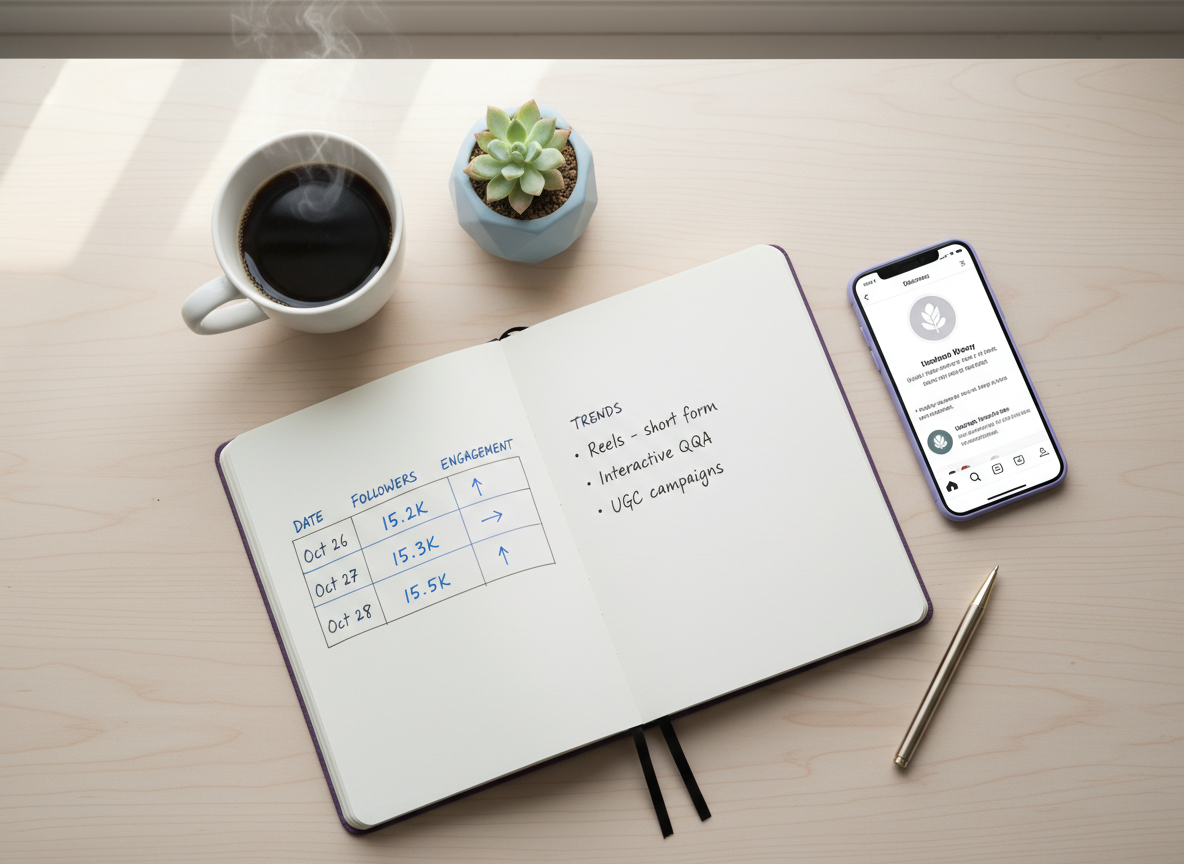
If you want to use unfollower data for something useful (not just pain), track it alongside what you posted.
I’m talking super simple notes:
- Date you checked
- Follower count
- Any big content change (new niche, more ads, fewer Stories, etc.)
- Unfollowers count (and a quick glance at who, if it matters)
After a few weeks, you’ll notice patterns. And yeah, sometimes the pattern is “nothing.” People churn for random reasons. Their ex came back, they’re cleaning their feed, they’re quitting social media for 48 hours… then they’re back.
One more lived-detail thing: I’ve seen the biggest unfollow spikes happen after a post performs well, not when it flops. Viral reach brings in loose-fit followers, and they drop off once your next post isn’t the same vibe. That doesn’t mean your content got worse. It means your reach got broader.
Tools people use to see recent unfollowers (and what each is good at)
You’ve got a few categories out there:
- Public data trackers that compare follower snapshots (my preferred route for most people).
- Login-based apps that claim “real-time” alerts (highest risk; I generally don’t recommend them).
- Export-and-compare tools using your downloaded data (accurate, slower, less “recent”).
If you want a broader rundown of options, this external explainer on seeing who unfollowed you covers common approaches, and Academia article touches on what people are using lately. Just keep your skeptic hat on when anything pushes logins.
And if you’re specifically shopping for an option, here’s a useful cluster piece on an app to see who unfollowed you on Instagram, with the pros/cons laid out.
How UnfollowGram Follower Tracker helps with seeing recent unfollowers
This is basically why we built UnfollowGram Follower Tracker in the first place: people wanted to see recent unfollowers Instagram style, but they didn’t want to hand over their password to some random app that’s gonna get them locked out.
In my own testing across multiple public accounts, the “no password” approach is the difference between “I can track this daily without stress” and “why am I getting an Instagram security email at 2 a.m.” Seriously. Been there.
UnfollowGram focuses on the stuff people actually check: who unfollowed, who isn’t following back, and new followers, using public account data and snapshot comparisons. You can use our unfollower tracker for Instagram and get results fast without connecting your IG credentials.
Honest caveat: it won’t magically reveal private-account follower changes, and it can’t tell you why someone unfollowed (nobody can). But for day-to-day tracking without ban risk, it’s the cleanest workflow I’ve used.
If you’re curious about the mechanics, this page on how unfollow tracking works explains the snapshot idea in plain English.
And if you’re specifically chasing alerts, read this before you do anything risky: Instagram unfollow notification apps and real-time alerts without getting banned. A lot of “instant notification” promises come with strings attached.
Limitations (what “recent unfollowers” won’t tell you)
This won’t tell you the exact minute someone unfollowed. At best, you’ll know it happened between your last snapshot and your current one.
It also won’t tell you the intent. People unfollow because they’re cleaning their feed, taking a break, changing interests, or because you posted one too many affiliate links last week (oops). You’ll only see the change, not the reason.
FAQ
Can I see recently unfollowed people on Instagram?
No, Instagram doesn’t show a native list of recently unfollowed people or recent unfollowers; you have to compare follower lists over time or use a tracker that does snapshot comparisons.
Is there a safe way to see recent unfollowers that Instagram users should trust?
Yes: use tools that don’t ask for your Instagram password and rely on public-data snapshots for public accounts, or use an export-and-compare method from your downloaded data.
Why do some tools show unfollowers that “reappear” later?
That usually comes from an incomplete follower list pull (common on larger accounts or too-frequent checks), not from people unfollowing and refollowing in waves.
Can I get real-time unfollow notifications?
Not reliably from Instagram itself, and “real-time” third-party notifications often require risky login access; most safer tools can only narrow it down to a time window between checks.
Will this work on private Instagram accounts?
Public-data unfollower tracking generally won’t work for private accounts because the follower list isn’t publicly accessible.
Conclusion
If you’re trying to see recent unfollowers on Instagram, the reality is simple: Instagram won’t show you, so you need snapshot tracking (daily is the sweet spot) or periodic exports if you want high accuracy.
Don’t hand over your password to random unfollower apps. It’s not worth the lockouts and security headaches.
If you want a low-drama way to track follower changes on a public account, use UnfollowGram Follower Tracker and keep it consistent: check, log the trend, move on. You can learn more at UnfollowGram here: https://unfollowgram.com

Ethan is the founder of UnfollowGram with more than 12 years of experience in social media marketing. He focuses on understanding how Instagram really works, from follower behavior to engagement patterns, and shares those insights through UnfollowGram’s tools and articles.





