
How Tracker Apps Can Trigger Instagram Bans
Last Updated on February 4, 2026 by Ethan
Yes, unfollower apps can get you banned on Instagram in 2026, or at least hit with action blocks, login challenges, and “suspicious activity” locks that feel like a ban. I’ve watched perfectly normal accounts get restricted just because a tracker app asked for a password, hammered Instagram too fast, or used automation under the hood.
The annoying part is it doesn’t always happen instantly. Sometimes it’s day 1. Sometimes it’s two weeks later when Instagram’s systems finally connect the dots and your account gets slapped with limits all at once.
I’m going to break down how tracker apps trigger bans, what Instagram is actually detecting, what “safe” really means in this space, and what I’d do instead if you just wanna know who unfollowed you without gambling your account.
TL-DR: Using unfollower tracker apps can lead to Instagram bans or action blocks due to their behavior resembling automation or spam. Even if you don’t actively use automation features, these apps can trigger restrictions by querying follower lists too frequently. To avoid risking your account, it’s safer to track unfollows manually or explore less risky alternatives.
Why “can unfollower apps get you banned” is a real question now (not paranoia)
A few years ago, people got away with a lot. In 2026, Instagram’s spam detection is basically allergic to anything that smells like automation or credential sharing.
I’ve tested a bunch of trackers across creator accounts, brand accounts, and some smaller “personal” accounts. Same result pattern over and over: the more the app behaves like a bot (or makes you behave like one), the faster you hit restrictions.
And here’s the counterintuitive part nobody likes hearing: even if you don’t click “auto unfollow,” the app can still generate risky activity just by constantly querying follower lists or rotating servers. You feel like you’re “just checking,” but Instagram sees repeated access patterns that don’t look human.
How Instagram bans and restrictions actually get triggered by tracker apps
Instagram doesn’t need to “know the app’s name” to punish you. It just needs to see behavior that matches spam, automation, or compromised credentials.
How it works (what Instagram is detecting)
- Credential sharing: apps that ask for your Instagram username and password (or tell you to “log in to verify”) create login patterns from unusual devices/locations.
- Automation fingerprints: follow/unfollow bursts, repetitive API-like calls, or actions happening at inhuman intervals.
- Access via unapproved methods: tools scraping public pages aggressively, or using unofficial endpoints that get flagged.
- Behavior clusters: your account’s actions plus the app’s background polling can add up to “too much,” even if each piece alone seems small.
Instagram’s job is to reduce spam. So it leans “guilty until proven innocent” when it sees patterns that match mass-follow tactics, engagement pods, or stolen accounts. Fair? Not always. Real? Yep.
The most common outcomes (what it looks like on your side)
- Action blocks: you can’t follow, unfollow, like, comment, or DM for hours or days.
- Login challenges: “We noticed unusual activity” and you’re forced to verify via email/phone.
- Shadowy reach drops: your posts stop appearing in hashtags or Explore-like surfaces (people call it a shadowban, but it’s often a mix of throttles).
- Temporary suspension: you’re locked out and have to appeal, sometimes with a 30-day window.
I’ve seen users panic because “I didn’t do anything!” But if a third-party app is logged in as you, Instagram treats that as you. That’s the deal.
The 3 tracker app behaviors that get people banned (or close enough)
1) Asking for your password (the fastest way to get flagged)
If an unfollower app asks for your password, you’re taking the biggest risk in this whole category. Period.
In real life, here’s what happens: you log in, it works for a bit, then you get a suspicious login alert at 2 a.m., and suddenly you’re doing phone verification while your feed won’t refresh. Been there. I hate it.
Even if the app isn’t “stealing” anything, credential-based tools often log in from servers or device farms. That creates the exact login pattern Instagram warns about: new device, new location, repeated sessions.
2) Follow/unfollow automation (Instagram treats it like spam because it is)
Some apps pitch “mass unfollow,” “clean up non-followers,” “auto-remove ghost followers,” all that. Sounds efficient. It’s also the easiest way to trigger action limits.
What I’m seeing in 2026: users are getting blocked after unfollowing as little as 50 to 100 accounts in a short window, and hourly follow/unfollow tolerance often hovers around ~60 actions per hour before something breaks. Not always, but often enough that I don’t gamble on it anymore.
If you want the deeper breakdown, read this once and save it: Instagram follow limits explained (daily, hourly, and more).
3) “Constant checking” in the background (polling your follower list all day)
This one surprises people. You’d think the risky part is unfollowing. But honestly, a lot of restrictions start after someone installs three different tracker apps and checks them like stock prices.
Lived detail: on larger accounts (20k+), I’ve noticed trackers tend to take longer to “refresh” and they retry more aggressively when they can’t fetch data. That retry behavior is exactly what creates a messy pattern of repeated requests.
Another lived detail: checking right after you post tends to correlate with more “Try Again Later” errors, because you’re already spiking normal activity (comments, DMs, profile visits). The tracker traffic piles on. Suddenly you look automated, even if you’re just excited about a reel.
Failure modes: where this whole “tracker app” idea falls apart
This is the part most blogs skip because it’s not fun.
- Private accounts: a lot of no-login trackers can’t do much (or anything) with private profiles. If it claims it can, be skeptical.
- High-churn days: after giveaways, collabs, or viral reels, follower changes happen fast and any app that “snapshots” data can mislabel people as unfollowers when it’s really just timing.
- IG glitches: sometimes Instagram itself misreports follower counts temporarily. If you’ve managed accounts long enough, you’ve seen the numbers wobble. Apps can’t magically fix that.
So yeah, your mileage varies. And no tool can read Instagram’s mind in real time without poking the platform in ways it doesn’t like.
“Safe unfollower apps” vs risky ones: the difference is boring (and that’s good)
People want a magic app that shows unfollowers instantly. I get it. I used to obsess over it too (not proud of that era, honestly).
The safer options tend to be the least exciting:
- No password and no “Log in with Instagram” inside a sketchy webview.
- Read-only approach using public data or exports you provide.
- No automation for follow/unfollow actions.
If you want a second opinion from a tool that focuses on safer tracking approaches, this overview is solid: how to safely track Instagram unfollowers.
What to do if you already used a tracker app and now things feel “off”
If you’re reading this because you’re already getting action blocked, breathe. Most of the time it’s recoverable, but you’ve gotta stop feeding the fire.
- Remove third-party access: go to Instagram Settings > Security > Apps and Websites and revoke anything you don’t fully trust. If you see tools you forgot you installed, yeah… same.
- Change your password: even if you think the app was “legit.” This forces old sessions to expire.
- Stop bulk actions for 48 to 72 hours: no mass unfollowing, no rapid likes/comments, no “cleanup spree.” Act normal.
- Confirm email/phone are secure: a lot of lockouts turn into a mess because the recovery info is outdated.
- Check for shadowban symptoms carefully: don’t rely on random “shadowban tester” sites. Look for real signals (reach drop across multiple posts, hashtag results missing, accounts not seeing you). This walkthrough is a decent reference point: how to remove a shadow ban on Instagram.
One more lived detail: I’ve seen accounts recover faster when they stop logging in from multiple devices for a bit. When people panic, they log in on phone, desktop, a friend’s phone, a tablet… and it just keeps the “unusual activity” loop going.
How to track unfollowers without getting your account restricted
Here’s the practical setup I recommend to clients who care about account safety more than instant gratification.
Option A: Use Instagram’s official data export (slow, but zero drama)
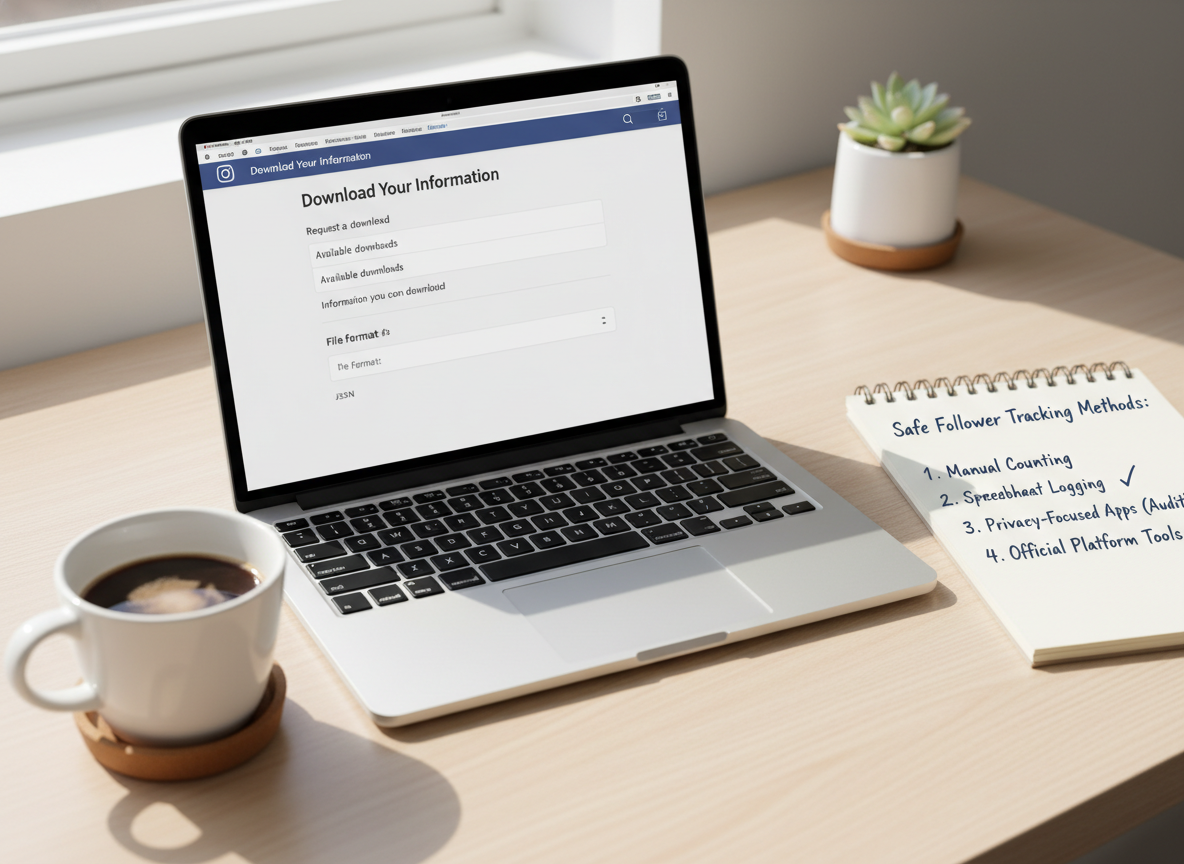
Instagram lets you download your account data (followers/following lists included). It’s not “live,” but it’s clean and safe.
- Go to Settings > Security > Download Data (the wording shifts a bit, but it’s in there).
- Pull the export monthly (or weekly if you’re tracking growth closely).
- Compare snapshots to see who changed.
This method won’t tell you the exact minute someone unfollowed. It’s more like recon, not CCTV.
Option B: Use tools that don’t touch your login (read-only vibes)
There are trackers that avoid the password problem by working from public account data or letting you provide the data yourself.
If you want to understand the safety tradeoffs before you try anything, this is worth a skim: what actually makes Instagram unfollower apps safe (or unsafe).
Option C: Manual unfollowing, spaced out like a normal human
Manual doesn’t mean “painful forever.” It means you unfollow in small batches, then stop.
A rule I stick to in 2026: if you’re doing more than 50 to 100 unfollows in a short window, you’re basically poking the bear. Some accounts can handle more. Some can’t handle 30. That’s what makes this annoying.
Common mistakes that cause bans (even when people think they’re being careful)
- Using multiple tracker apps at once: stacking tools stacks risk. I’ve seen three “harmless” apps equal one big lockout.
- Running a tracker while traveling: new IP location plus third-party logins can look like account takeover.
- Believing App Store reviews: reviews are easy to game, and plenty of risky apps still sit at 4.7 stars.
- Chasing “real-time” unfollowers: the more real-time the promise, the more aggressive the data access tends to be.
- Ignoring the warning signs: “Try again later” is not a cute bug. It’s often your early warning.
If you want a practical gut-check before installing anything, I keep sending people to this: a tracker safety checklist you can run in 2 minutes. It’s the boring questions that save accounts.
Limitations (what no tracker can do safely)
No matter what an app claims, there are a few hard limits.
- You won’t get perfect real-time unfollower data without risk: truly real-time tracking usually means aggressive access patterns, and that’s exactly what triggers restrictions.
- You can’t reliably identify “ghost followers” with certainty: low engagement doesn’t always mean a bot or a “bad follower.” People scroll differently. Some never like anything.
And yeah, sometimes Instagram’s own data has delays. So if an app tells you “this person unfollowed you 2 minutes ago,” take it with a grain of salt.
Where most “unfollower finder” apps go wrong (and how to spot it fast)
I’ve tested tools that look polished but still do sketchy stuff behind the curtain. The tells are usually obvious once you know them.
Red flags I don’t ignore anymore
- They ask for your IG password or push you into a fake-looking “Instagram login” screen.
- They promise auto-actions like “auto unfollow non-followers.”
- They spam you with “security alert” popups that conveniently require you to log in again.
- They claim they work on private accounts without access (how, exactly?).
If you’re comparing options, I’d rather you read real-world pros/cons than random hype. This roundup helps people avoid the usual traps: honest Instagram unfollow tracker app reviews.
How UnfollowGram Follower Tracker helps you avoid Instagram bans
We built UnfollowGram for people who want unfollower tracking without the classic “hand over your password and pray” approach. The biggest safety win is simple: it doesn’t ask for your Instagram login credentials, which removes the riskiest ban trigger I see in the wild.
It’s also designed around public account tracking, so you’re not doing weird authentication loops or bouncing through suspicious logins. When someone asks me what to use if they’re paranoid about bans, I point them toward tools that keep access minimal, like a no-password Instagram unfollower tracker that checks public data safely, instead of anything that wants to “connect your account” with full permissions.
Quick honesty: because it’s focused on public accounts and safe access patterns, it’s not trying to be a “do everything” bot machine. If what you want is auto-unfollow, it’s the wrong category entirely (and that category is where bans usually start).
If you want the safest workflow end-to-end, this is the path I recommend: track who unfollowed you the safe way without giving away your password.
FAQ
Is unfollower finder safe?
Some are, but many aren’t; if it asks for your Instagram password or offers auto-unfollow, it’s risky and can trigger action blocks or bans.
Can you get banned on Instagram for unfollowing?
Yes, if you unfollow too fast or in bulk, Instagram can rate-limit you with action blocks and repeated violations can escalate into longer restrictions or suspension.
Is follow buddy a safe app?
Safety depends on whether it requires your login credentials and whether it automates actions; in general, any tracker that logs in as you or promises automation increases ban risk.
How many people can you unfollow without getting banned?
In 2026, I’m seeing action blocks hit around 50 to 100 unfollows in a short window for many accounts, and hourly tolerance is often around ~60 actions before limits kick in.
What’s the fastest way to recover after using a risky tracker app?
Revoke third-party access in Instagram settings, change your password, and pause bulk actions for 48 to 72 hours so the account can “cool down.”
Will a safer tracker still show me exactly when someone unfollowed?
Usually no; safer methods often work on snapshots or periodic checks, so you’ll know who changed, not the exact minute it happened.
Conclusion
If you’re asking “can unfollower apps get you banned,” the honest answer is yes, and the risk is higher now than it used to be. Password-based trackers, auto follow/unfollow features, and aggressive background checking are the big triggers I see most often.
If you want to track unfollowers without living in fear of action blocks, keep it boring: avoid password tools, avoid automation, and space out manual actions. And if you want a safer way to monitor follower changes, use UnfollowGram Follower Tracker with the no-password approach and stick to low-risk habits.





