

What Data Can Follower Trackers Actually See
Last Updated on February 18, 2026 by Ethan
Follower tracker apps can only see what Instagram exposes: public profile data (for public accounts) and, if you connect your own account the official way, your own Insights-style metrics. They can’t magically see private followers who viewed a profile, or any “hidden” activity that Instagram doesn’t provide.
If you’re Googling what data can follower tracker apps see, you’re probably trying to figure out what’s real versus what’s marketing. Fair. I’ve tested a lot of these tools over the years on creator accounts, brand accounts, and random personal profiles, and the biggest gap is always the same: people assume “tracker” means “access.” It doesn’t.
So yeah, here’s the plain-English version of what follower trackers can actually see, how they pull it, what’s probably going to stop working in 2026, and the signs an app’s just bluffing.
TL;DR: Follower tracker apps can only access public profile data and official metrics for accounts you own. They can’t see private followers or any secret stuff, and if a tool’s promising “deep insights” without an official connection, it’s probably selling you a story. In most cases, it’s pretty simple; they take a snapshot of your follower list, then check again later and see what changed.
It usually falls into two buckets: scraping what’s public, or using Instagram’s official API.
And pretty much every follower tracker you’ve tried is doing one of those, like pulling what a public profile already shows, follower counts, following lists, usernames, that kind of thing. official API (and why that matters)
Every Instagram follower tracker you’ve ever used is doing one of two things:
- Reading public data (usually by fetching what a public profile shows: follower counts, following lists, usernames, etc.). This is how “no password” tools work for public accounts.
- Using official Instagram/Meta API access for an account you own or manage (typically Business/Professional accounts). This is where you’ll see legit analytics like reach, impressions, audience demographics, and content performance, similar to native Insights.
Here’s the part most people don’t realize: the moment a tool promises “deep data” without you connecting your account officially, it’s either guessing… or scraping aggressively… or straight-up lying. Yup.
How it works (the mechanics, minus the fluff)
Follower trackers usually follow a simple loop:
- Collect a snapshot of what Instagram is showing at that moment (public list data or API metrics).
- Store it so it can compare later. No history saved = no “who unfollowed” accuracy over time.
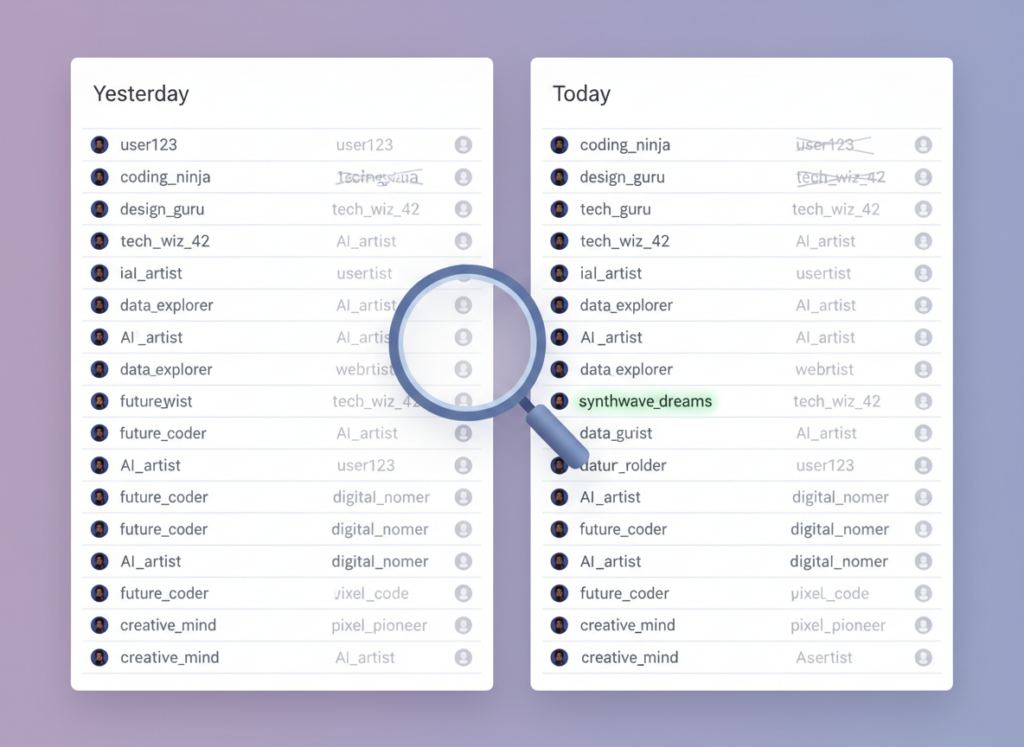
- Compare snapshots and label the difference (new followers, unfollowers, non-followers, etc.).
The reason this works is basically math: if “User A” appears in your follower list yesterday but not today, the tool flags an unfollow. It’s not mind-reading. It’s a before/after comparison.
And yeah, timing matters. A lot.
What can these trackers actually see, realistically?
Look, this is the “what data do they track?” question in plain, real-world terms. When a tracker’s being straight with you and it’s working, it can usually tell the basics. Like who followed, who unfollowed, and sometimes roughly when, based on when the app last checked. And in my experience, on smaller accounts, say under 2,000 followers, the lists tend to load pretty fast and without much weirdness. On bigger accounts, especially 50k+, I’ve watched the same tool take noticeably longer to “settle” and sometimes show partial results until you refresh or re-run the scan.
2) Non-followers (people you follow who don’t follow back)
This is just cross-referencing two lists: your following vs. your followers.
But here’s where people get tripped up: if the tool can’t reliably fetch a complete following list (rate limits, blocks, partial loads), your “not following back” list can look wrong. Not because the math is hard, but because the input list is incomplete.
3) Basic public profile info (public accounts only)
For public profiles, many trackers can fetch what Instagram already shows publicly:
- Username, display name, profile photo
- Follower/following counts
- Bio text, website link (if visible)
- Public posts and metadata that’s visible without logging in (varies by tool and region)
If you want the “policy-level” explanation of what’s exposed and what isn’t, this breakdown on how Instagram data access works for trackers is the cleanest way I’ve seen it explained without scare tactics.
4) Post performance and engagement patterns (only when connected via official analytics)
This is where API-compliant tools earn their keep. Platforms like Sprout Social’s Instagram analytics tooling (and similar dashboards) pull in performance metrics for accounts you manage: impressions, reach, engagement, saves, shares, follower growth trends, and more.
Counterintuitive thing: people think follower trackers are mostly about “unfollowers.” In 2026, the best ones are basically trend dashboards. The unfollow list is the hook. The real value is figuring out what content caused the dip (or the spike).
5) Story viewers… but only for your own stories (or public viewing in specific cases)
If you’re logged into your own account and using official/native features, you can see story viewers because Instagram shows you that.
But a third-party follower tracker can’t see “who viewed my story” for an account it doesn’t control in some magical way. When a tool claims it can, I treat that as a red flag.
Now, a separate topic: web-based “story viewers” can sometimes watch public stories without logging in, and because you’re not logged in, you typically won’t appear on the story viewer list. That’s not the tracker “seeing private viewer data.” That’s you viewing public content anonymously.
6) “Ghost followers” and “secret admirers” (mostly inference, not actual private data)
These labels get tossed around a lot. Here’s what’s actually happening when it’s legit:
- Ghost followers usually mean “accounts that haven’t liked/commented in X days” or “suspicious profiles with no posts.” It’s a heuristic, not a fact.
- Secret admirer style features are typically “top engagers you interact with the most” or “people who like/comment consistently.” It’s pattern detection, not hidden viewer logs.
I’ve seen these features be useful, honestly. But only if you treat them like “signals,” not courtroom evidence.
What follower trackers cannot see (no matter what the App Store screenshots say)
This is the part that saves people from wasting money or handing over access they shouldn’t.
Private account followers (unless you’re approved)
If an account is private and you’re not an approved follower, a follower tracker can’t see the follower’s list, following list, or content. Full stop.
I’ve watched users try to “track” a private competitor for weeks and just get empty or inconsistent results. It’s not user error. Instagram blocks it.
Who viewed a specific Instagram profile
No tool can show you “who visited my profile” with names and timestamps. Instagram doesn’t provide that data.
If an app claims it can, you’re either looking at:
- guesses based on engagement, or
- fake lists designed to keep you subscribed
That feature has been a scam magnet for years. Still is.
DMs, saved posts, or account data you didn’t grant
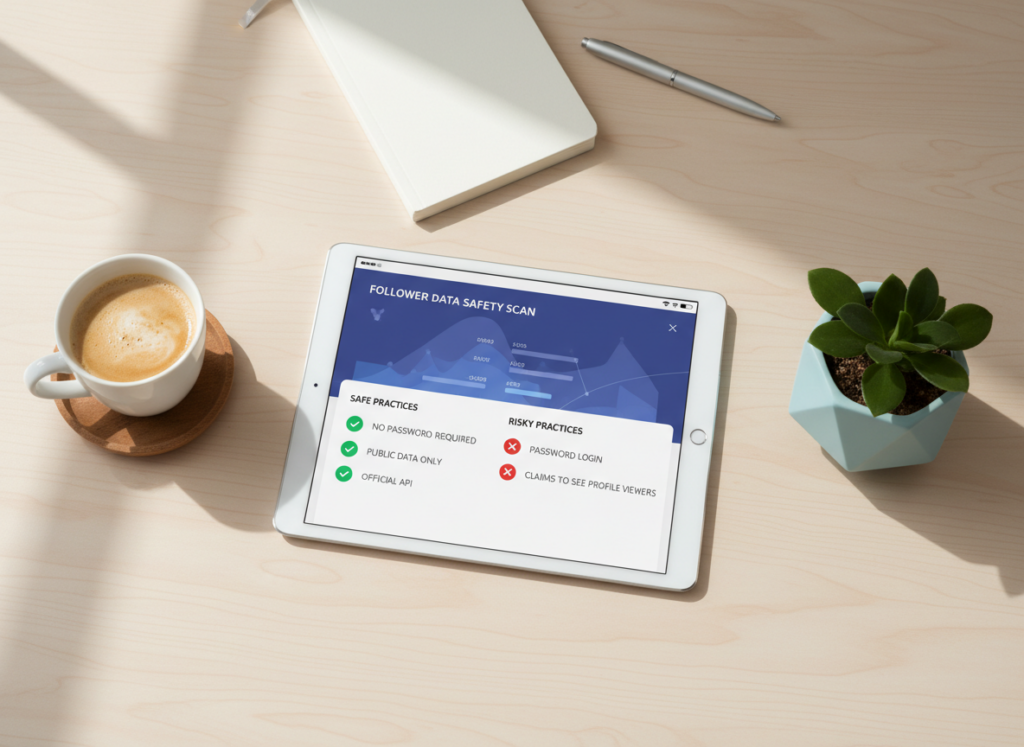
If you didn’t explicitly connect an account through official permissions, the tool shouldn’t be seeing private account-level metrics. And if it asks for your Instagram password… nope. That’s the wrong road.
I’ll be real: years ago, I tried one of those “login-required” trackers on a burner account just to see what it did. It worked for like two days, then started failing, then the account got hit with “suspicious login” prompts nonstop. Annoying. Lesson learned.
Why results vary in 2026 (Instagram’s crackdown, in plain terms)
Instagram has gotten way better at detecting automated behavior: rate limiting, fingerprinting, behavior analysis, and temporary blocks. So the “scrape everything all the time” era is pretty much over for most casual tools.
Failure mode I still see: a tracker works fine for a week, then suddenly starts returning partial follower lists or “0 unfollowers” every day. What’s happening isn’t mysterious. The tool’s requests are getting throttled or challenged, so your snapshot is incomplete, and the comparison becomes garbage.
Another failure mode: heavy scanning on a large account. I’ve tested this on accounts with big followings, and if you run scans too frequently (like, obsessive refresh behavior every hour), you can trigger temporary blocks that look like “the app broke.” It didn’t. Instagram just stopped answering fully.
So what’s “safe” now?
The safest path is API-compliant tools for accounts you own. Period. If you want a wider read on what’s considered risky versus reasonable in 2026, I’d point you to this breakdown on safe vs unsafe follower tracker apps.
And if you’re going to use any tool that touches Instagram data, at least run it through a real checklist first. This one covers the stuff most people skip (permissions, login methods, data retention): follower tracker safety checklist.
Diagnostic clues: how to tell what a tracker is actually seeing
If you’re staring at a dashboard thinking, “Is this real?” here are quick tells I use.
If it asks for your password
That’s not inherently “immediate doom,” but it’s the highest-risk category. A lot of account locks I’ve seen came from password-based third-party logins. It’s also where data theft stories come from most often.
If you wanna understand the common ways shady apps grab more than they should, this overview on how follower tracker app data theft happens is worth a read.
If it can’t explain where the data comes from
Legit tools are pretty clear whether they’re pulling from public data or from official account insights. Vague language like “advanced AI access” or “private data scanning” is usually nonsense.
If the “unfollowers” list changes every refresh
That’s usually a sign that the underlying follower list snapshot is unstable or incomplete. On one mid-sized creator account I manage, I saw a tool flip-flop the same 30 names in and out of the “unfollowed” list depending on the time of day. That’s not drama. That’s bad data collection.
The honest limitations (what this won’t tell you)
Even the best follower trackers have hard limits.
- They won’t tell you why someone unfollowed. You can correlate timing with posts, sure, but you won’t get a reason.
- They won’t reliably attribute unfollows to a specific action. People blame one story or one post, but unfollows often lag by days.
- They can’t see private-account changes you don’t have access to. If you can’t view it on Instagram, the tracker can’t either.
And one more caveat: if you only check a tracker once a month, the data is going to feel “random.” Not because it’s wrong, but because you’re missing the day-to-day context that makes the change meaningful.
How UnfollowGram Follower Tracker fits into this (and why we built it this way)
I’ve used every type of tracker: the login-required ones, the “analytics suite” platforms, the sketchy ones that promise profile viewers (ugh), and the simple web tools that just compare public snapshots. The reason the Instagram Follower Tracker exists is that a lot of people want the basic answers without handing over credentials.
UnfollowGram focuses on the stuff trackers can reliably do from public data: follower changes, non-followers, and quick visibility into what changed since the last time you checked. It’s fast. It’s straightforward. And it doesn’t do the “we can see private profile visitors” routine because… it can’t. Nobody can.
One honest boundary: because it’s designed around public-account access, it’s not trying to replace professional analytics dashboards for brands that need deep post-level reporting and demographics. If you need that, you’re in official API territory, and you should stick with tools that are built for managed accounts. If you just wanna know who’s in and who’s out without password drama, this approach is the sweet spot.
If you’re specifically trying to keep things low-data and low-creepy, you’ll probably also like this take on privacy-friendly Instagram analytics. That mindset is where the whole category is heading anyway.
FAQ
Are follower tracker apps safe?
Some are, some aren’t: tools that don’t ask for your password and/or use official permissions are generally safer than password-based scrapers, but any tool can be risky if it over-collects data or stores it poorly.
Which Is The Best Instagram Follower Tracker?
The one that ticks all the boxes is UnfollowGram. It prioritizes safety, privacy, and accuracy.
What does the followers app track?
Most follower trackers track changes over time, like new followers, unfollowers, and non-followers, by comparing snapshots of follower/following lists (and sometimes official account metrics if you connect your account).
What data do apps track?
Depending on access, apps track public profile info, follower/following lists, and follower count changes; if you grant official access for your own account, they can also track analytics like reach, impressions, and engagement.
Can Instagram followers see what I watch?
No, followers can’t see what you watch on Instagram; viewing activity isn’t shared publicly, aside from things you intentionally do, like likes, comments, and story views (where applicable).
Can a follower tracker show me who viewed my profile?
No, Instagram doesn’t provide named “profile viewer” data, so follower trackers can’t show an accurate list of who visited your profile.
Why does my unfollow list look wrong sometimes?
It usually happens when the tool can’t fetch a complete snapshot (rate limits, partial loads, temporary blocks), so the comparison is based on incomplete data.
Conclusion
Follower trackers can see follower changes, non-followers, and public profile data, and some can see deeper performance analytics only when you connect your own account through official access. They can’t see private followers you’re not approved for, and they can’t reveal profile viewers, no matter how confidently an app claims it can.
If your goal is simple, daily clarity on follower movement without handing over your Instagram password, UnfollowGram Follower Tracker is built for exactly that. Keep your expectations realistic, check consistently (not obsessively), and you’ll get a clean, useful signal instead of noise.

Ethan is the founder of UnfollowGram with more than 12 years of experience in social media marketing. He focuses on understanding how Instagram really works, from follower behavior to engagement patterns, and shares those insights through UnfollowGram’s tools and articles.





